Selenium Elevator Gateway
Selenium is an elevator communication gateway designed for access control systems. It acts as the link between the Accelero system and the elevator system, forwarding access commands (advance call or button release) and reporting the status back to Accelero.
Selenium does not make the access decision: it is the link between the Accelero controller and the elevator system. Floor release is defined by the permissions configured in the system; Selenium translates the received command into the elevator protocol (Atlas Schindler, ThyssenKrupp or button panel).
What Selenium Is
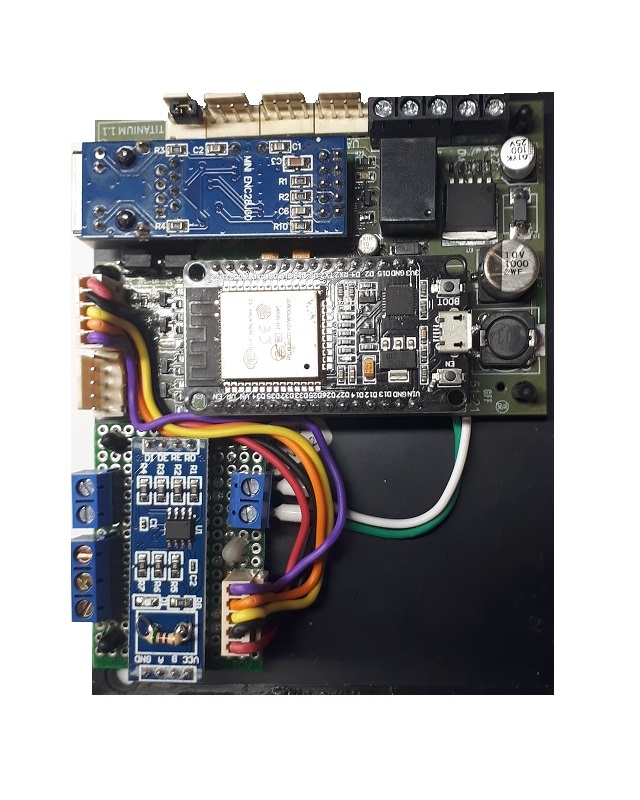
The base hardware of Selenium is the Titanium controller board running gateway firmware. It therefore inherits the same hardware platform (12 VDC power supply, WiFi/Ethernet connectivity, embedded HTTP server, internal clock with NTP, electrical protections) and the same configuration mode via web server.
The board is the Titanium controller configured as a gateway. For electrical and construction details of the board, see the Titanium Controller documentation.
The gateway receives access commands from the Accelero system and routes them to the elevator system. Typically, installed above the entrance turnstiles, there are terminals (screens) where the elevator system tells the user which elevator to use. The user goes to the elevator, which takes them to the floor programmed for them.
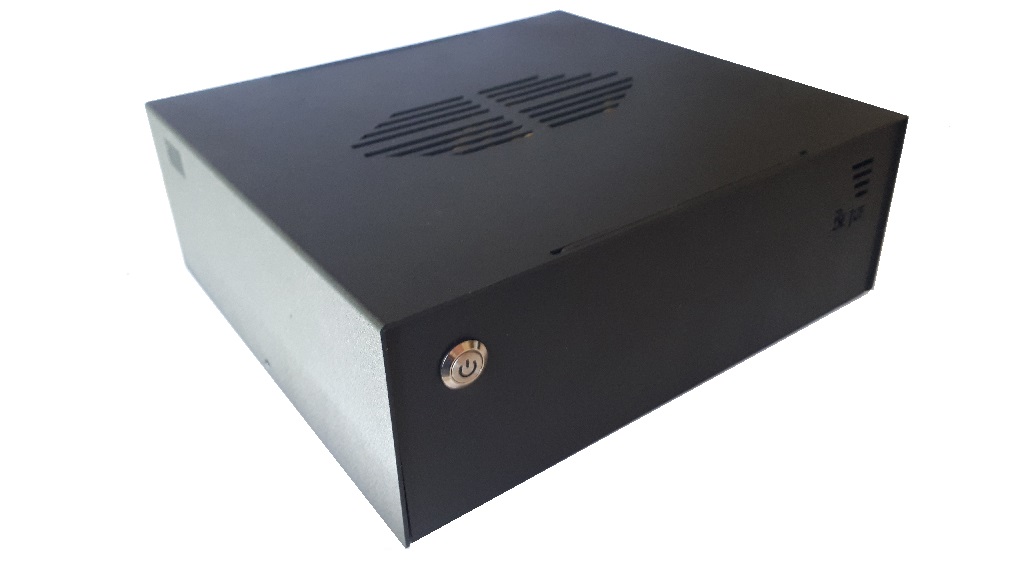
The hardware was designed to operate safely and reliably in the most diverse environmental conditions, with protection circuits against electrical surges. The signal inputs are built with optocouplers that fully isolate the sensors from the gateway's internal circuits.
The Selenium Variants
Selenium is supplied in three variants, which share the same board, the same configuration mode and practically the entire web server interface. What changes is the protocol and the elevator system each one integrates with, plus a few screens exclusive to each protocol.
Selenium AS — Atlas Schindler
Elevator advance call gateway integrated with the Atlas Schindler management system. It communicates with the Atlas Schindler server via TCP/IP and supports the use of a backup server. When the user is identified at the turnstile, the system calls the elevator automatically.
Selenium TK — ThyssenKrupp
Elevator advance call gateway integrated with the ThyssenKrupp management system. It communicates with the elevator gateway over MODBUS RS485. The advance call flow is the same as the AS variant, only the protocol and the integration parameters change.
Selenium KB — Button use control
Elevator button use control gateway. Instead of an advance call, it releases to the user only the buttons of the floors allowed for them. It operates together with one or more RUBIDIUM stations (4 relays each), connected via RS232, which enable/disable the panel buttons.
Variant Comparison Table
| Variant | Elevator system | Integration protocol | Service | Manual version |
|---|---|---|---|---|
| Selenium AS | Atlas Schindler | TCP/IP (Atlas server + backup) | Advance call | v1.4 |
| Selenium TK | ThyssenKrupp | MODBUS RS485 | Advance call | v1.7 |
| Selenium KB | Button panel (RUBIDIUM stations) | RS232 serial with the RUBIDIUM stations | Button use control | v1.0 |
Common Features
All three variants share:
- Power supply: 12 VDC
- Network connectivity: WiFi (Wireless) or Ethernet UTP 10/100-Base-T (RJ45)
- Communication with the server: natively through an MQTT broker, with an open protocol based on IoT concepts
- Configuration server: embedded HTTP, accessible via browser (smartphone or computer)
- Configuration mode: its own WiFi access point (AP mode) activated by the BOOT button
- High-precision internal clock, with optional synchronization via an external NTP server
- Remote firmware update over the TCP/IP network
- Electrical protections against surges and optical isolation of the signal inputs
Selenium communicates with the Accelero system through MQTT (Accelero Cloud or a custom MQTT broker). The details of the MQTT/Accelero Cloud protocol are documented separately.
Technical Specifications
| Specification | Value |
|---|---|
| Type | Elevator gateway |
| Base hardware | Titanium controller board (gateway firmware) |
| Variants | AS (Atlas Schindler) · TK (ThyssenKrupp) · KB (button control) |
| Power supply | 12 VDC |
| Network communication | WiFi and Ethernet RJ45 10/100-Base-T |
| Server protocol | MQTT (Accelero Cloud or custom broker) |
| Elevator integration | AS: TCP/IP · TK: MODBUS RS485 · KB: RS232 (RUBIDIUM stations) |
| Configuration server | Embedded HTTP, accessible via web browser |
| Clock/calendar | Internal clock with optional synchronization via an external NTP server |
| Firmware | Remote update over the TCP/IP network |
| Electrical protections | Electrical surges; signal inputs with optocouplers |
Next Steps
- Operation and Configuration — configuration mode, common connections and web server screens
- Selenium AS configuration · Selenium TK · Selenium KB