Holidays
ACCELERO lets you configure a holiday table used by the system for access validation, mainly related to the behavior of Time Ranges.
Navigation path: Settings > Holidays
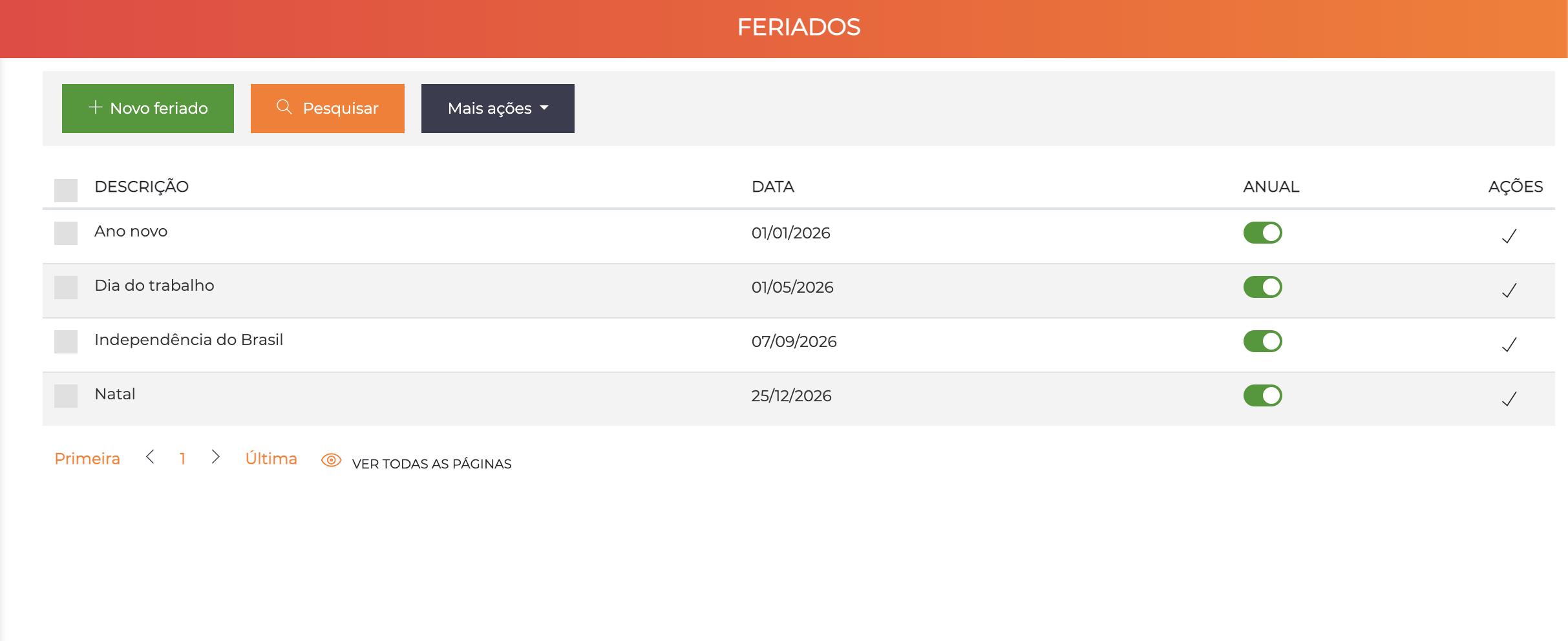
The list displays all registered holidays with the columns Description, Date, Annual (toggle), and Actions.
Registering Holidays
When you click "New holiday", the system displays an inline form for quick creation.
Configuration Fields
| Field | Description |
|---|---|
| Description | Holiday name (e.g., "Christmas", "New Year", "Municipal Holiday") |
| Date | Holiday date in DD/MM/YYYY format |
| Annual | Toggle that defines whether the holiday repeats every year on the same date (day/month) |
Annual vs Non-Annual Holidays
Annual Holidays
When marked as Annual, the holiday is automatically considered every year on the same date (day and month). Configure it once and the system applies it automatically.
Examples: New Year (01/01), Tiradentes (21/04), Labor Day (01/05), Independence Day (07/09), Christmas (25/12).
Non-Annual Holidays
Holidays with a movable date or one-time occurrences should be registered without marking them as annual.
Examples: Carnival, Good Friday, Corpus Christi, Elections.
Movable holidays must be re-registered every year with the correct date.
Impact on Time Ranges
Registered holidays directly affect the behavior of time ranges. When configuring a time range, the Valid on holidays toggle defines whether the range applies on days registered as a holiday.
| Valid on holidays | Behavior on a holiday |
|---|---|
| On | Time range is applied normally |
| Off | Time range is not applied, even if the day of the week is selected |
Practical example:
Range: Business (Mon to Fri, 07:00-19:00, holidays: NO)
Registered holiday: 01/05/2026 (Labor Day - Thursday)

Result: On 01/05, even though it is a Thursday,
the Business range will NOT be applied → access denied
See Time Ranges for full details.
Recommended Calendar (Brazil)
Fixed National Holidays (register as Annual)
| Date | Description |
|---|---|
| 01/01 | New Year |
| 21/04 | Tiradentes |
| 01/05 | Labor Day |
| 07/09 | Brazilian Independence Day |
| 12/10 | Our Lady of Aparecida |
| 02/11 | All Souls' Day |
| 15/11 | Proclamation of the Republic |
| 25/12 | Christmas |
Movable Holidays (re-register annually)
| Holiday | Note |
|---|---|
| Carnival | Monday and Tuesday before Ash Wednesday |
| Good Friday | Friday before Easter Sunday |
| Corpus Christi | 60 days after Easter Sunday |
Do not forget to also register the state and municipal holidays applicable to your location.
Best Practices
-
Annual review: At the start of each year, register the movable holidays and check whether new holidays have been created by law
-
Clear naming: Use full descriptions (e.g., "Carnival (Tuesday)") instead of abbreviations
-
Test after registration: Verify that the time ranges that exclude holidays are working correctly on the registered days
Next Steps
- Time Ranges - Configure access schedules that use holidays
- Categories - Define access rules by category