Association Types
Association types allow you to qualify the relationship between people and companies in the system, enabling greater control and operational flexibility.
Navigation path: Advanced > Association types
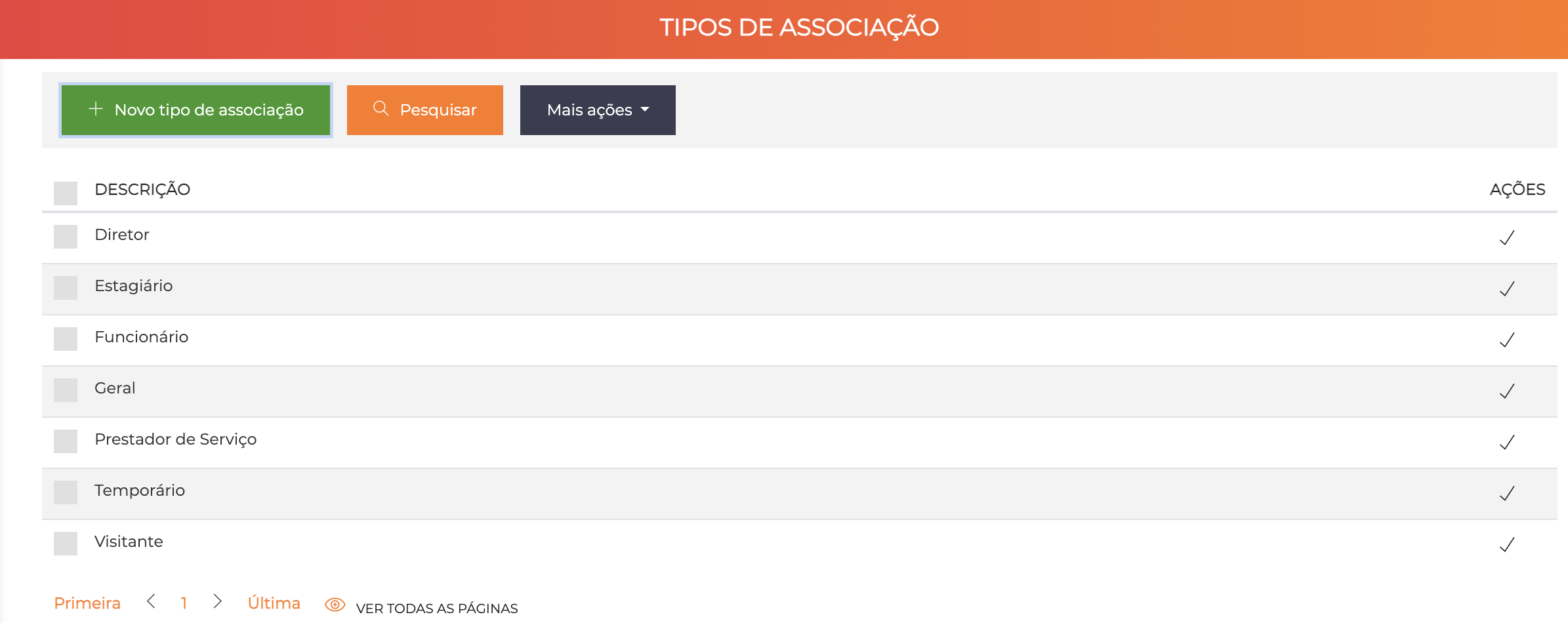
The list displays all registered types with the Description column and the ✓ icon to save inline edits. There is no separate edit screen — the description is changed directly in the list.
Concept
People registered in the system are, in general, associated with companies. More than simply creating this association, you can determine the type of this relationship.
Practical Examples
Person: Pedro
Company: Frigorífico Super
Type: Employee

Person: Maria
Company: Frigorífico Super
Type: Service Contractor
These qualification differences allow you to:
- Perform specific filters in reports
- Enable differentiated functions in access control
- Organize people by type of link with companies
Type Configuration
To simplify the operation, all the different association types must be previously configured.
How to Configure
- Go to
Advanced > Association types - Click New association type
- Enter the name of the type (e.g. "Employee", "Service Contractor", "Intern")
- Confirm with the ✓ icon
This screen is a simple list, without any additional configuration required. Just create the types that will be used in your system.
Common Association Types
Examples of frequently used types:
| Type | Common Use |
|---|---|
| Employee | Fixed collaborators of the company |
| Service Contractor | Outsourced workers and consultants |
| Intern | Interns and apprentices |
| Director | Board and management |
| General | Generic link when the specific type does not apply |
| Temporary | Temporary collaborators |
| Visitor | Occasional visitors |
How to Use
After creating the association types:
- Go to the registration of a Person
- Go to the Companies tab
- When associating the person with a company, select the Association type
See People - Companies for details of the registration.
Best Practices
-
Create only the necessary types: Do not create excessive types that make the operation difficult
-
Use clear naming: Self-explanatory names facilitate use by all operators
-
Standardize the types: Keep consistency between different companies in the system
-
Plan before creating: Define which types will be necessary before starting mass registrations
-
Document the use: Keep a record of when each type should be used