Dwell Time
Dwell Time is one of the control types of Synapsis. It monitors, per region, how long each person has been in a risk area and alerts when the maximum allowed time is exceeded.
Navigation path: Synapsis > Dwell time
Like all of Synapsis, this control depends on the licensed module synapsis and the Synapsis - manage permission (synapsisManage). See Licensing.
How it works
The control divides the region's coverage into two zones, defined by antennas:
- Unsafe zone — the risk area (for example, the interior of a cold room).
- Safe zone — the area outside the risk.
While the person (the beacon associated with them) is detected by an antenna that does not belong to the safe zone, they are considered inside the unsafe zone and the timer runs. When they are detected by a safe zone antenna, the stay ends.
Each entry and exit is recorded, feeding the dwell time report.
The timer is only ended when the person is effectively detected in the safe zone. This avoids "false exits" — if the beacon simply stops being seen, the system does not assume the person left safely.
Configuration
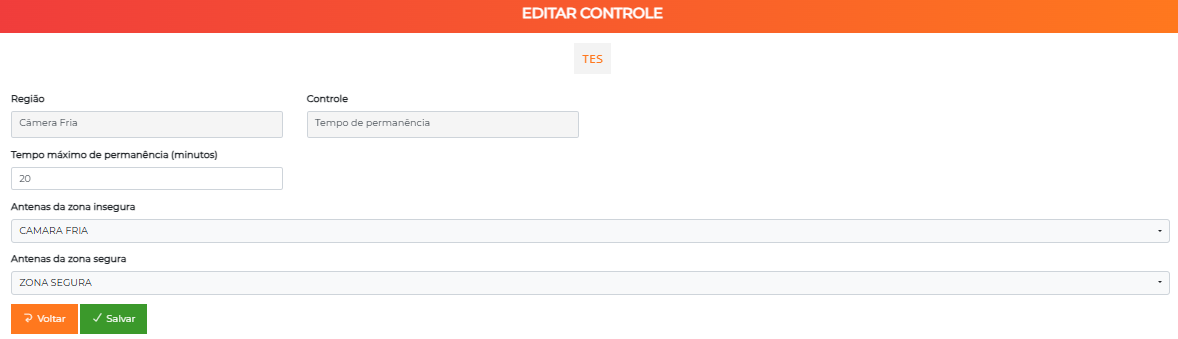
This control is added to a Synapsis region.
Path: Synapsis > Regions > [select region] > Controls tab > New control > Dwell time
| Field | Description |
|---|---|
| Maximum dwell time (minutes) | Time limit allowed in the unsafe zone (default value: 10) |
| Unsafe zone antennas | Antennas that represent the risk area |
| Safe zone antennas | Antennas whose detection ends the stay |
You can only choose antennas that are already associated with that region (Synapsis configuration step).
Monitoring screen
Path: Synapsis > Dwell time
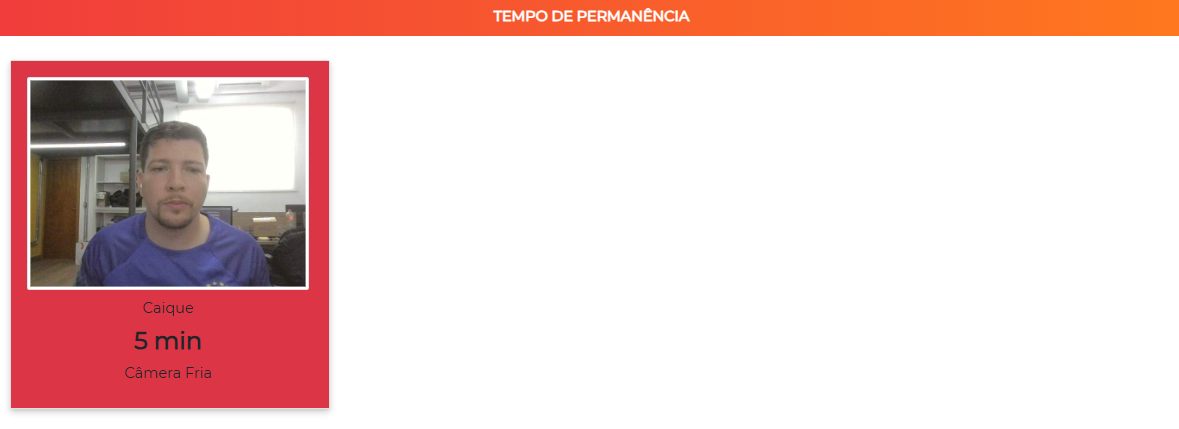
The screen shows, in automatically updated cards, each person currently in the unsafe zone, with:
- Photo and name of the person;
- Region where they are;
- Time remaining until the alarm.
The cards are colored according to the urgency:
| Color | Situation |
|---|---|
| Green | Time remaining above 10 minutes |
| Yellow | Between 5 and 10 minutes remaining |
| Red | 5 minutes or less, or time already up (ALARM) |
The list updates itself every few seconds, reflecting entries and exits in real time.
In practice, the same card changes color as the remaining time decreases:


Alarms and notifications
As the time approaches the limit, the system sends a pre-alarm (about 5 minutes before) and, when it is exceeded, a dwell time alarm.
These notices are delivered as real-time notifications to the users who enable the Synapsis - Dwell time alarm preference. When the person returns to the safe zone, the alarm is normalized.
Unlike the Redzone and the Alarm/panic button, Dwell time does not create records in the Incident Panel — it operates by notifications and by the report history.
Dwell time report
Path: Reports > Dwell time
Extracts the history of the recorded stays.
Available filters: start date, end date, person name and antenna (unsafe zone).
Report columns:
| Column | Content |
|---|---|
| Date | Date/time of the record |
| Location | Unsafe zone antenna |
| Name | Person (link to the record) |
| Entry | Entry time into the unsafe zone |
| Exit | Exit time (detection in the safe zone) |
| Dwell time | Difference between entry and exit |
Access is controlled by the Reports - dwell time permission (reportPermanencyTime). See Reports.
Relationship with the Cold Room
The Dwell Time control is the basis of the native Cold Room feature, which goes beyond the simple timer: it accumulates the total time per person throughout the day and considers a rest period between entries. If you just need to alert about a prolonged stay in an area, use the generic control described here; for the accumulated control of cold rooms, see Cold Room.
Next Steps
- Synapsis — overview of the module, gateways, antennas, regions and maps
- Cold Room — native control with accumulated time and rest
- Incident Panel — manage Redzone and panic button alarms
- Reports — dwell time report