Contingency
Contingency is the resource that keeps access control working even when the internet connection is lost at the client site. With it enabled, Accelero sends users and identifiers to the controllers in advance, which then check permission in their own memory and operate in offline mode.
Concept
In normal operation, the access decision is validated by the server. When contingency is enabled, the controller stores the list of authorized identifiers internally. If communication goes down, it keeps granting accesses based on this local list, without depending on the server.
Recommended for locations where internet unavailability cannot interrupt the flow of people, such as condominium gates and employee accesses.
Activation
Step 1: Enable contingency on the category
Define which categories use the resource. Go to Settings > Categories, edit the desired category, and enable the Use contingency flag.
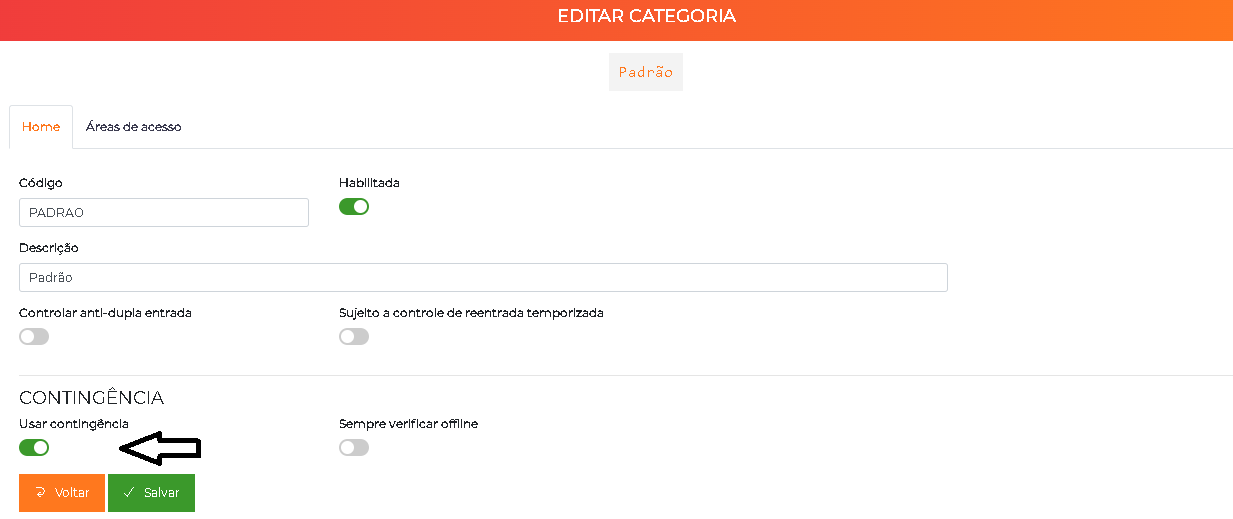
The Always check offline option forces the controller to check the local memory first, even with an active connection.
Step 2: Enable the identifier type
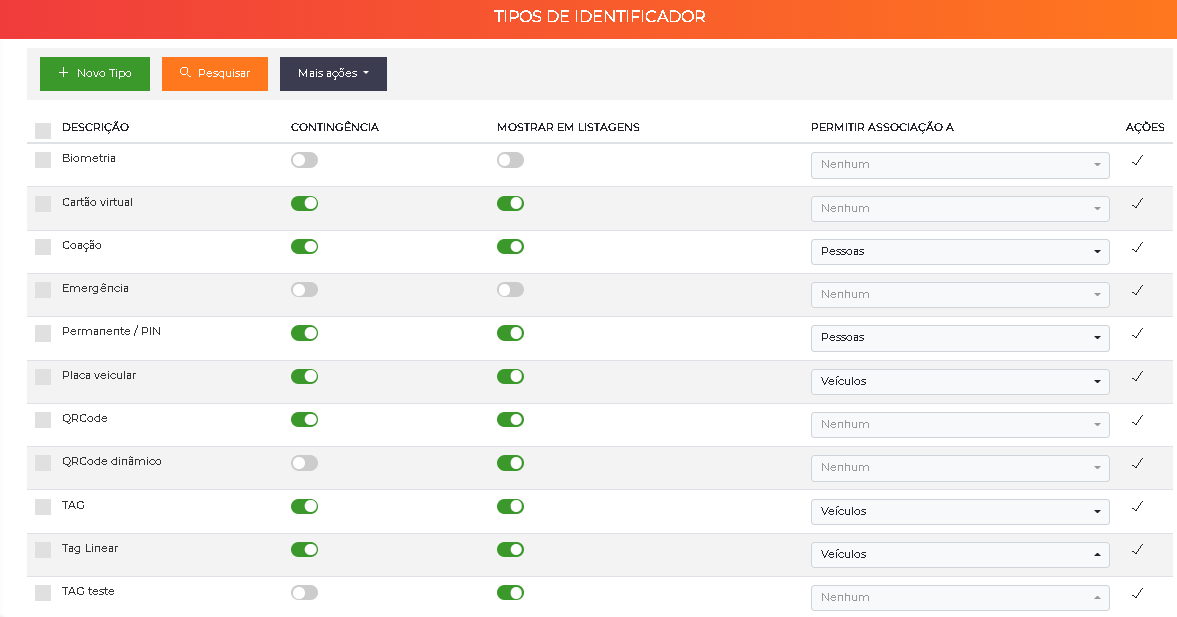
Go to Advanced > Identifier types and confirm that the identifier used in contingency has the Contingency column enabled.
Step 3: Send the identifiers to the controllers
For the boards to store the list locally, you must send it. Go to Advanced > Systems, locate Operation - Send identifiers, and click edit.
Select the controllers that will receive the list and click Send list. The system generates and transmits all identifiers within the defined parameters.
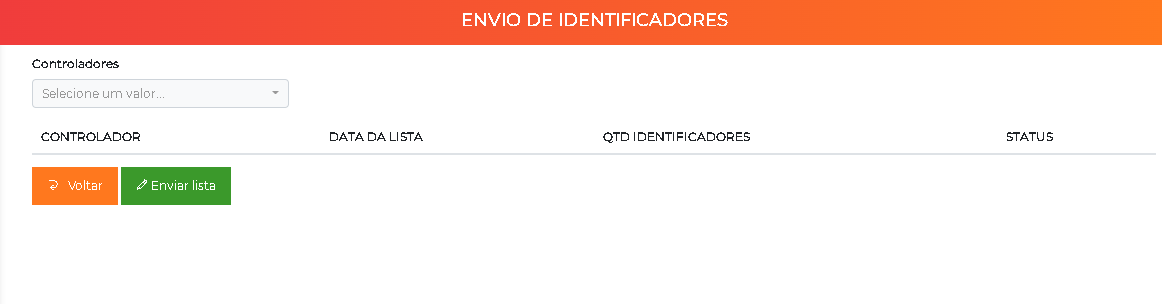
Once the sending is complete, the controllers are ready to operate in contingency.
Whenever there is a relevant change in the people or identifiers base, resend the list to keep the controllers up to date.