Integrations - AcceleroApp — Synchronization tab
Overview
Second tab of Integrations - AcceleroApp in Access Control. It defines what will be synchronized with Accelero APP (which event types and which categories of people) and triggers the bulk sending. It is the final step of the Onboarding a new company: after configuring the Integration — General tab and saving, this is where you click Synchronize.
Where it is / How to access
In Access Control (Accelero):
- In the menu, go to Advanced → System.
- Under System, open the Integrations - AcceleroApp item.
- You reach the integration page — Synchronization tab.
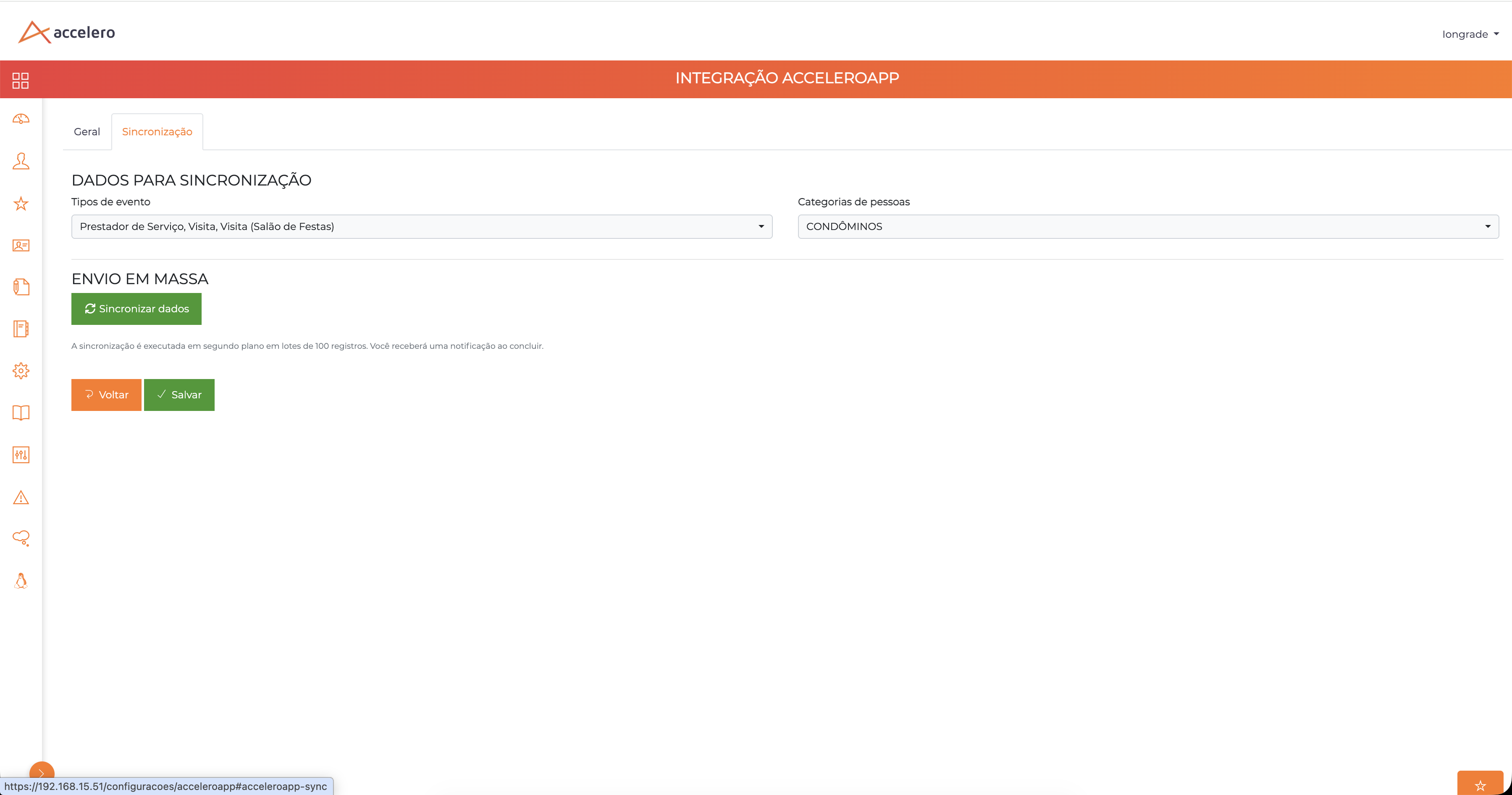
DATA FOR SYNCHRONIZATION
| Field | Type | Required | Description / Rule |
|---|---|---|---|
| Event types | Multi-selection | Yes | Which events are included in the synchronization (e.g., Service Provider, Visit, Visit (Party Hall)). |
| Categories of people | Multi-selection | Yes | Which categories of people will be synchronized (e.g., CONDÔMINOS). |
BULK SENDING
| Element | Description |
|---|---|
| Synchronize data button | Triggers the bulk sending to Accelero APP. |
| Notice | "The synchronization runs in the background in batches of 100 records. You will receive a notification when it completes." |
Actions: Back and Save.
Step by step
- Select the desired Event types.
- Select the Categories of people to synchronize.
- Click Save — the selection must be saved before synchronizing.
- Only then click Synchronize data.
- Wait for the completion notification (the processing runs in the background, in batches of 100).
Business rules and integrations
- Mandatory order: first Save, then Synchronize. Clicking synchronize without saving the selection does not send what was chosen.
- The synchronization runs asynchronously (background job), processing in batches of ~100 records; when it finishes, it generates a notification.
- Only the event types and categories checked on this tab are sent; the classification parameters (default category, association, default event) come from Integration — General.
Related
- Integration — General
- People import — people import in the Panel (feeds the database that is synchronized).
- Onboarding a new company — the full flow.
Note for Integrator Support
The "Event types" and "Categories of people" define the scope of the payload sent. Batch and asynchronous processing — plan reprocessing/idempotency according to the "Overwrite data" option of Integration — General.