Dashboard
Overview
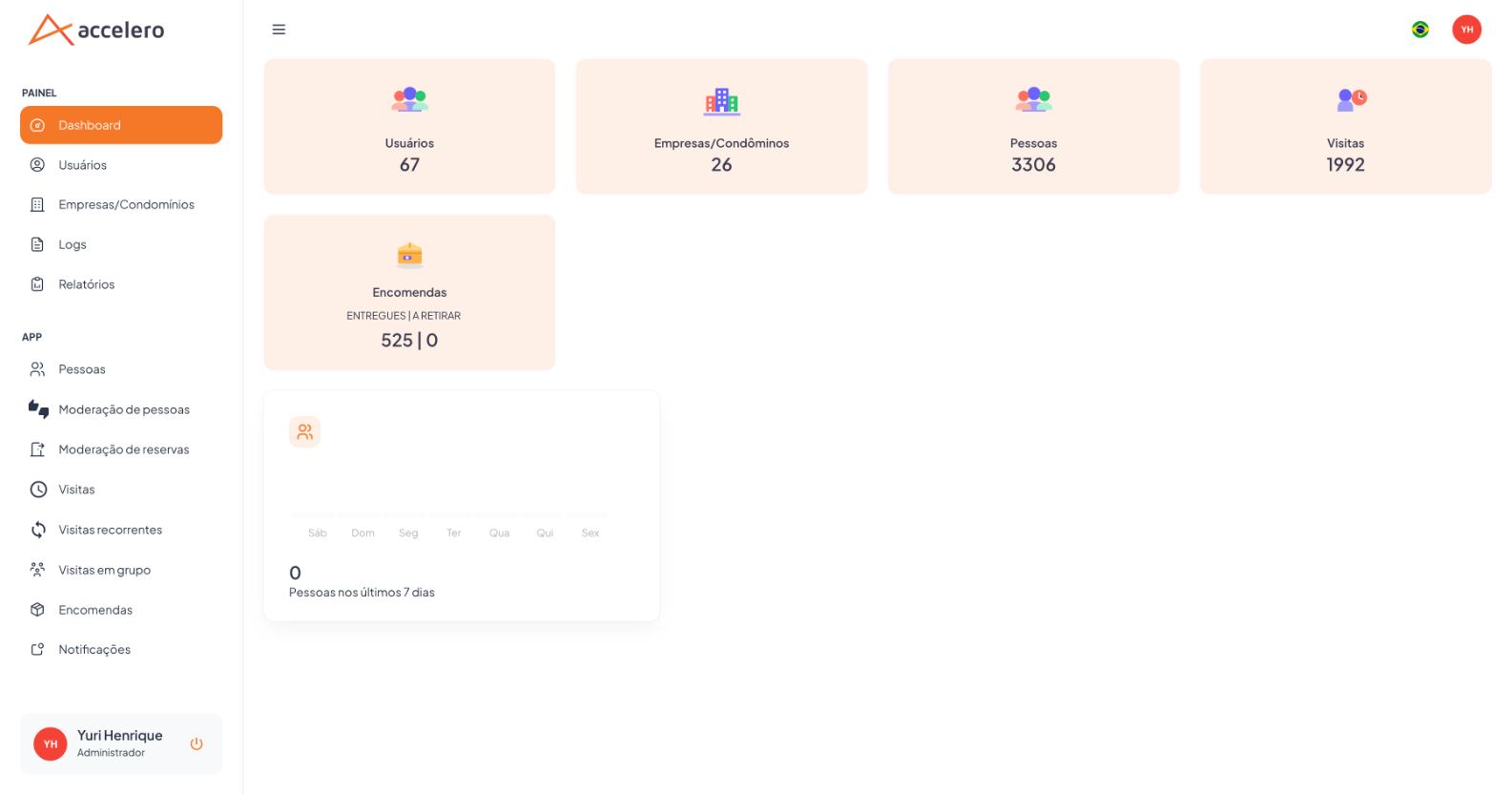
Home screen of the Panel. It gives a quick overview of what exists in the account through indicator cards (KPIs) and a people evolution chart. It is the first screen after login.
Where it is / How to access
Side menu → PANEL group → Dashboard (first option).
Screens and elements
Indicators (cards)
| Card | What it shows |
|---|---|
| Users | Total Panel users (administrative operators). |
| Companies/Condominiums | Total registered companies/condominiums. |
| People | Total people (residents). |
| Visits | Total visits. |
| Parcels | Two numbers: Delivered | To pick up. |
Chart
- People in the last 7 days — count per day of the week (Sat…Fri), with the total in the corner.
note
The numbers are scoped to the context of the logged-in user (see profiles/permissions under Users).
Step by step
- Log in to the Panel.
- Read the cards for a general overview.
- Use the side menu to navigate to the desired area.
Business rules and integrations
- Read-only screen (no write actions).
- The totals reflect what the user profile is allowed to see.
Related
- Users, Companies / Condominiums, People, Visits, Parcels
Note for Integrator Support
The People card helps validate that the synchronization populated the database.