Companies — Visit types
Overview
Defines the visit types accepted by the condominium (e.g., Visit, Service provider, Check-in) and the order in which they appear. These types feed the visit flow in the app and relate to the "Event types" of the Integration — Synchronization.
Where it is / How to access
Companies / Condominiums → company actions menu (⋮) → Visit types.
Screens and elements
List (with reordering)
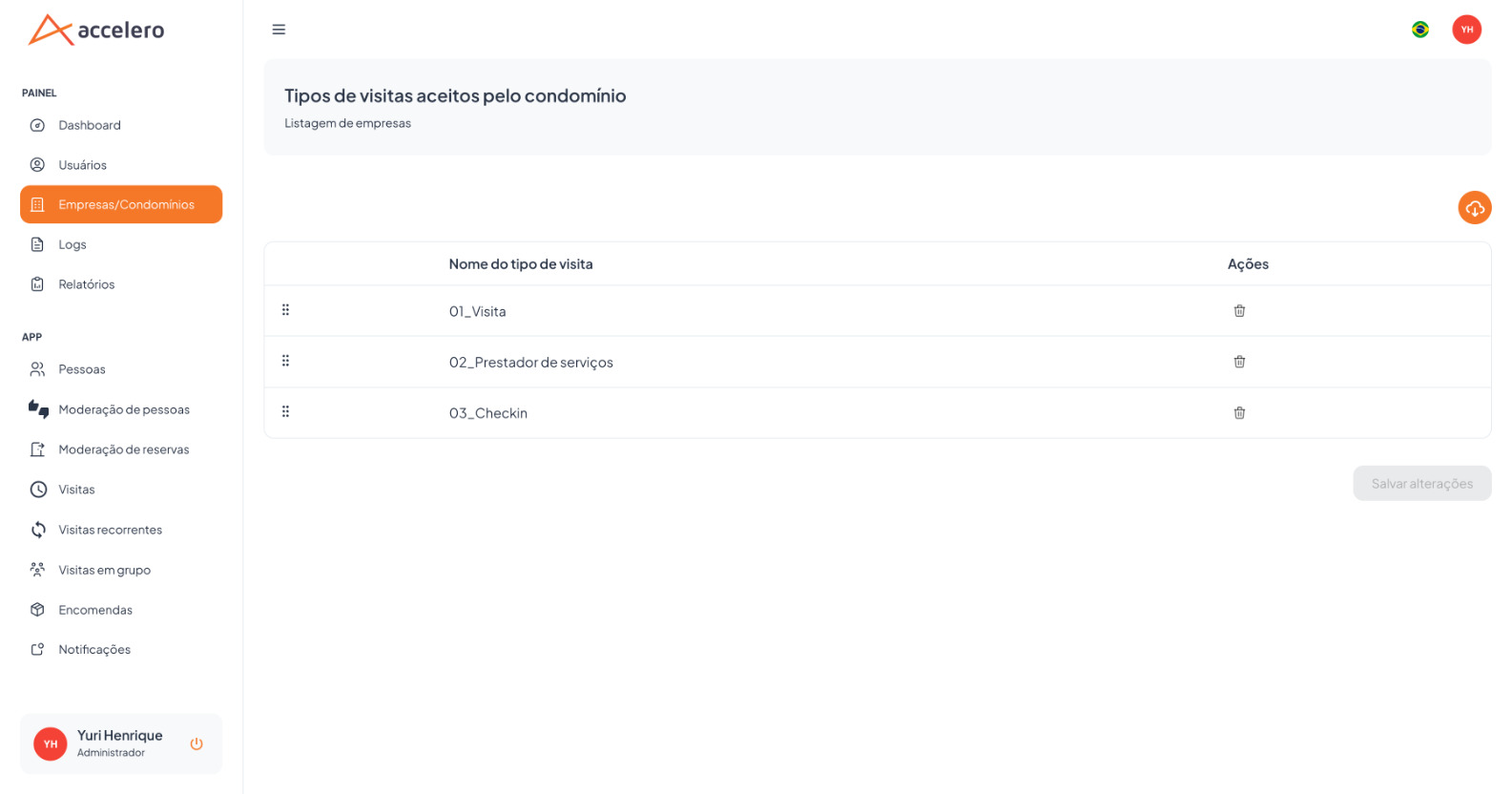
- Title: "Visit types accepted by the condominium".
- Column: Visit type name (e.g.,
01_Visita,02_Prestador de serviços,03_Checkin). - Each row has a drag handle (⠿) to reorder; Delete action per row.
- Import button (cloud) at the top, to bring types from an external source.
- Save changes button (enabled after order changes).
Step by step
- In the company, open Visit types.
- Drag the rows to set the desired order.
- Remove unwanted types; use the import to populate the list.
- Click Save changes.
Business rules and integrations
- The order is persisted and used when presenting the types.
- "Save changes" is only enabled when there is a change.
- It connects to the Event types synchronized in Integration — Synchronization.
Related
Note for Integrator Support
Visit types map to the access control event types — a point of attention in the data contract.