Tenant Management
Tenants (organizations) are the root of the ION Guard multi-tenant hierarchy. Each tenant represents a client organization with its own sites, users, and settings.
Tenant management is exclusive to Platform Admin.
Tenant list
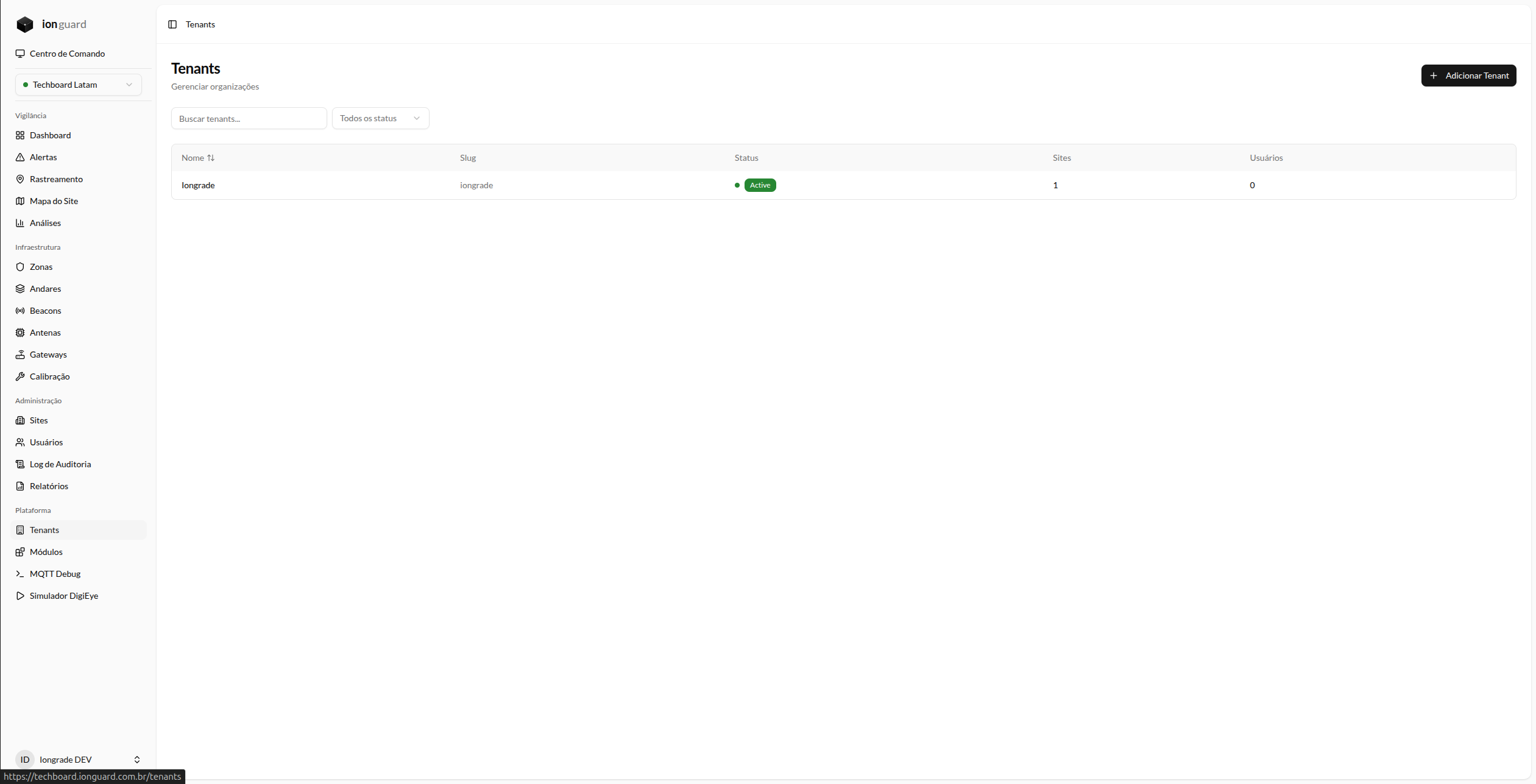
The Tenants page (/tenants) displays all registered organizations:
| Column | Description |
|---|---|
| Name | Organization name (clickable for details) |
| Slug | URL-friendly identifier |
| Status | Active, Suspended, or Inactive |
| Sites | Number of sites in the organization |
| Users | Number of registered users |
Filters
- Search by name
- Status: Active, Suspended, Inactive
- Sorting by name
Create a tenant
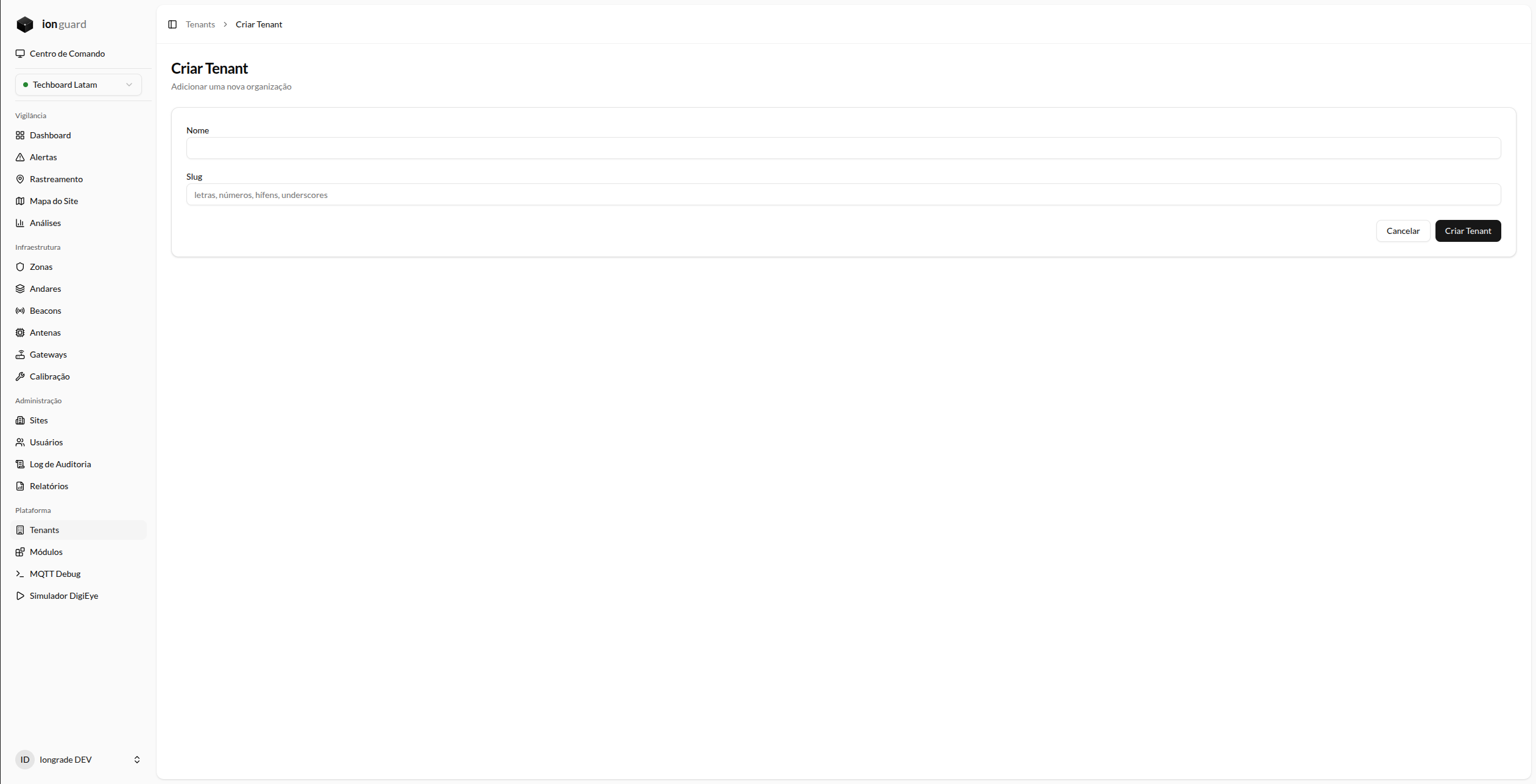
- Click "Add Tenant"
- Fill in:
| Field | Required | Description |
|---|---|---|
| Name | Yes | Organization name. Max. 255 characters |
| Slug | Yes | Unique identifier, used in URLs and internal references. Accepts only letters, numbers, hyphens, and underscores. Max. 255 characters |
- Click "Create Tenant"
The tenant is created with Active status by default.
Tenant details
When you click a tenant's name, the details page displays:
- Information — Name, slug, status, creation date
- Statistics — Number of sites and users
- "Edit" button — Opens the edit form
Edit a tenant
On the details page, click "Edit". You can change:
- Name
- Slug
Tenant status
| Status | Effect |
|---|---|
| Active | Organization is operational, all users can access |
| Suspended | Access temporarily blocked for all users in the tenant |
| Inactive | Organization is deactivated |
Status changes are made via a dedicated endpoint and affect all users and sites in the organization.
Organization settings
Users with the Tenant Master profile can manage their own organization's settings at Organization (/organization), without needing access to tenant management. The page displays the same details information and allows editing of name and slug.