User Management
The ION Guard platform lets you manage the users who will have access to the system, controlling their access profiles and the sites they can access.
User list
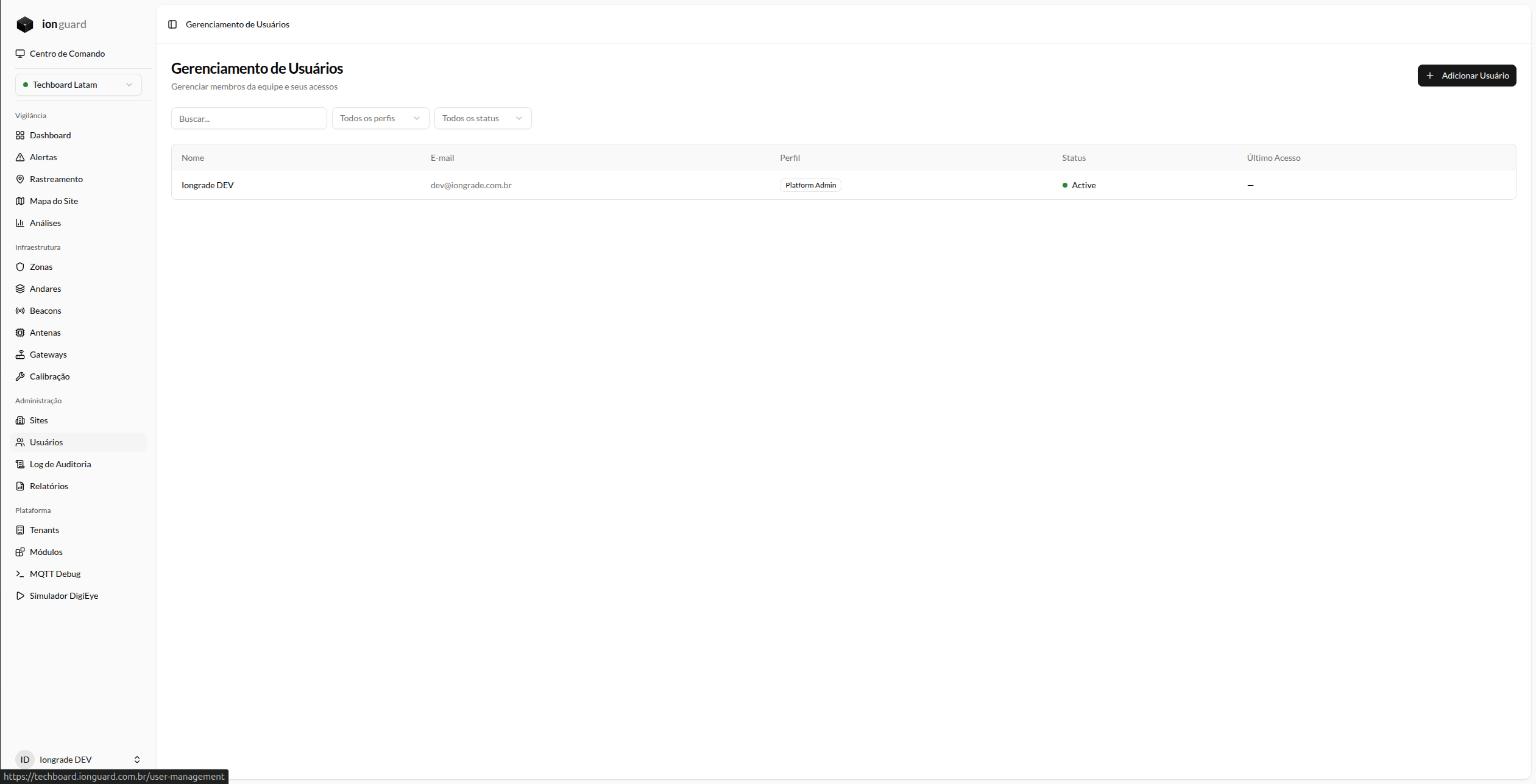
The Users page (/user-management) displays all users in the organization:
- Name — User's name
- Email — Email address (used for login)
- Profile — Assigned access profile
- Status — Active, Inactive, or Blocked
- Last login — Date and time of last access
- Actions — Edit and delete
Filters
- Search by name or email
- Profile: Platform Admin, Tenant Master, Tenant Admin, Operator, Viewer
- Status: Active, Inactive, Blocked
Create a user
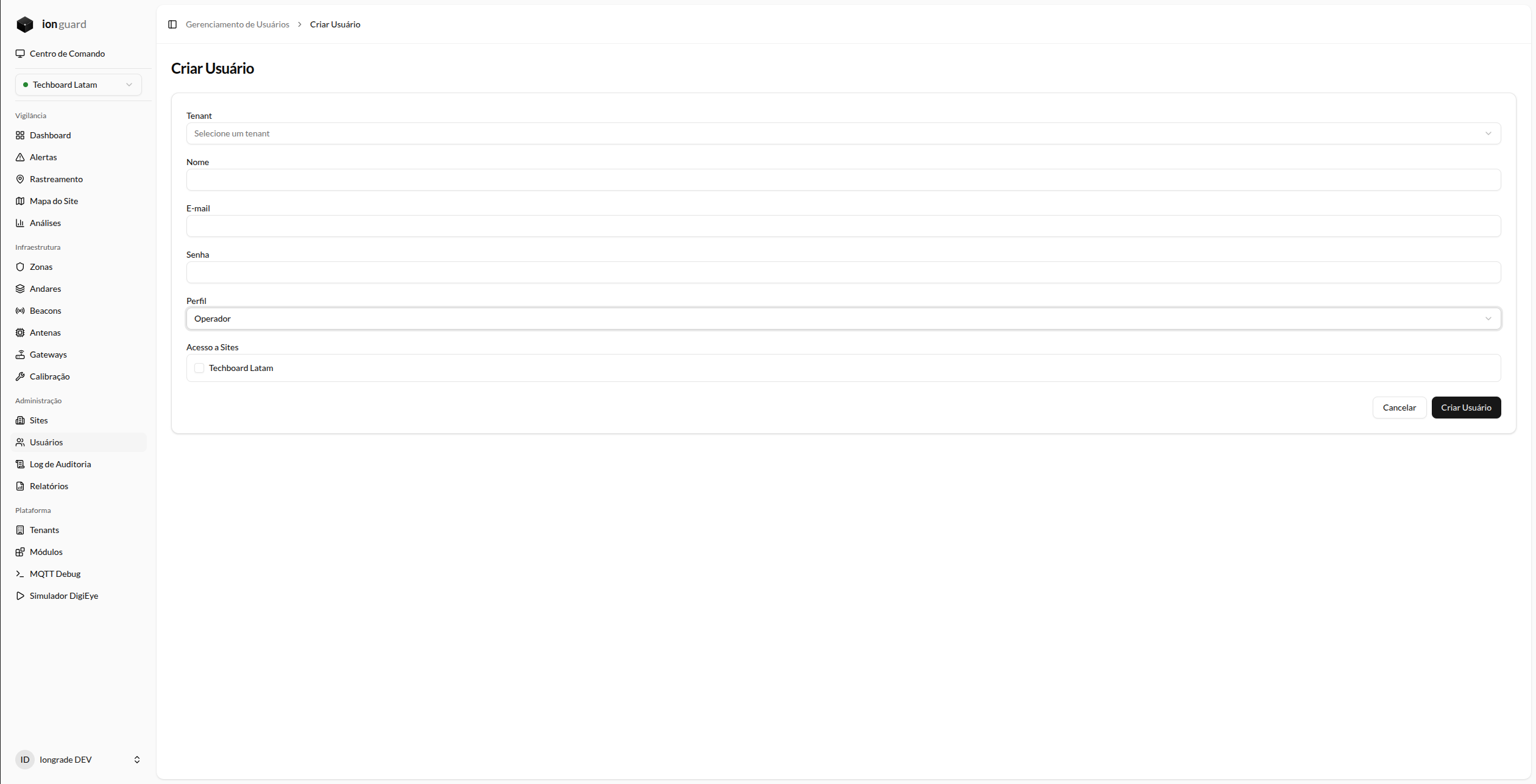
- Click "Add User"
- Fill out the form:
| Field | Required | Description |
|---|---|---|
| Name | Yes | User's full name. Max. 255 characters |
| Yes | Unique email address (will be used for login). Max. 255 characters | |
| Password | Yes | Initial access password. Minimum 8 characters |
| Profile | Yes | Access level — see Access Profiles |
| Site Access | Conditional | Which sites the user can access. Displayed only for the Operator and Viewer profiles |
- Click "Save"
Users with the Platform Admin, Tenant Master, and Tenant Admin profiles automatically have access to all sites in the organization. Only Operator and Viewer require explicit site assignment.
When you create a user with the Platform Admin profile, you select the new user's organization (tenant). For all other profiles, the user is created in the same organization as the person registering them.
Edit a user
In the list, click "Edit" next to the user. You can change:
- Name
- Profile — with restrictions based on your own profile
- Site Access — for Operator and Viewer
- Tenant Admin can only edit users with the Operator or Viewer profile
- Tenant Master can edit any user within their organization
- No user (except Platform Admin) can assign a profile equal to or higher than their own. For example, a Tenant Master can create/edit Tenant Admin, Operator, and Viewer, but cannot grant the Tenant Master profile to another user
Delete a user
Click "Delete" in the list. A confirmation dialog is displayed.
You cannot delete your own account.
User status
| Status | Meaning |
|---|---|
| Active | User can log in normally |
| Inactive | Access is disabled. Login returns an error |
| Blocked | Account is blocked (e.g., excessive attempts). Login returns an error |
Who can manage users?
| Action | Platform Admin | Tenant Master | Tenant Admin | Operator | Viewer |
|---|---|---|---|---|---|
| View list | Yes | Yes | Yes | No | No |
| Create user | Yes | Yes | Yes | No | No |
| Edit any | Yes | Yes (same tenant) | Only Operator/Viewer | No | No |
| Delete | Yes | Yes (same tenant) | Only Operator/Viewer | No | No |