Alerts
The alert system is the heart of the ION Guard platform. Alerts are generated automatically when critical events are detected — such as a panic button being triggered or a device losing its signal.
Navigation path: Surveillance > Alerts
Alert types
The alert types available depend on the modules enabled on the site. With the Synapsys module, the following alerts are available:
| Type | Severity | Description |
|---|---|---|
| Panic Button | Critical | Beacon with panic button was triggered |
| Device Offline | High | Beacon or antenna stopped sending signals |
| Antenna Offline | High | Reception antenna went offline |
| Low Battery | Warning | Beacon battery level is low |
| Restricted Zone Entry | High | Beacon detected in a restricted zone |
With the Accelero module:
| Type | Severity | Description |
|---|---|---|
| Accelero Alarm | Variable | Alarm from the access control system |
Every event and alert carries a severity, defined in the code as one of four levels: Critical, High, Warning, and Info. The severity determines the visual emphasis (color and animation) and the handling priority.
Alert lifecycle
Active → Acknowledged → Resolved
          ↗
   Escalated (auto)
An alert's status takes one of three values: Active, Acknowledged, and Resolved.
- Active — Alert was just created. Requires immediate attention.
- Acknowledged — An operator confirmed they saw the alert and is handling it.
- Resolved — The alert was resolved by the operator or automatically.
Escalation is not a separate status: it is a marker applied to alerts that remain Active and unacknowledged after the configured time limit. An escalated alert keeps the Active status (and can be acknowledged and resolved normally), it just gains additional emphasis. See Escalation.
Where to view alerts
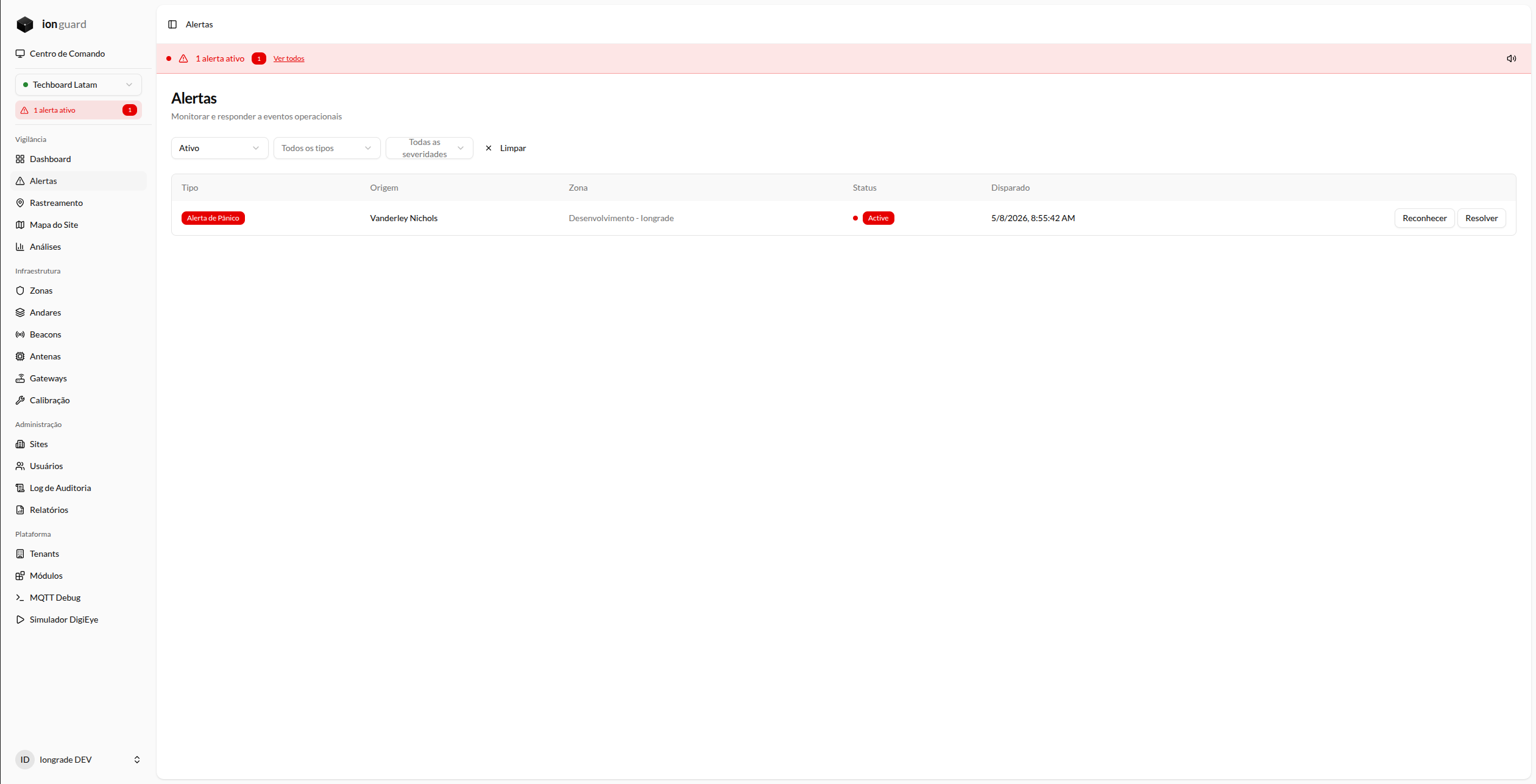
- Alert banner — Displayed at the top of all pages when there are active alerts. Includes an alert sound for panic events.
- Alert list — Dedicated page with filters by type, severity, status, and period.
- Command Center — Live view with zone map and real-time alerts.
- Dashboard — Summary cards with active alert counters.
Next steps
- Alert Response — How to acknowledge and resolve alerts
- Escalation — How automatic escalation works