Alerts and Incidents
The cold room alert system is integrated into the ionguard platform's alert engine. Alerts are shown on the monitoring panel, on the wallboards, and in the active alerts modal.
Alert types
The cold room module generates two types of critical alert:
| Type | Severity | Description |
|---|---|---|
| Cold Room Time Exceeded | Critical | A worker exceeded the continuous exposure limit in the cold room |
| Cold Room Blind Spot (signal lost) | Critical | An antenna in a cold room zone went offline while there were workers inside |
Progressive alerts (warnings)
Before generating a formal alert, the system issues progressive warnings as the worker's exposure approaches the limit:
| Percentage | Visual indicator | Audible indicator | Meaning |
|---|---|---|---|
| 75% | Yellow badge on the zone card | — | Attention: break should be planned |
| 90% | Orange badge + timer highlight | Audible alert (if configured) | Urgent: worker should leave soon |
| 100% | Red badge + red border | Continuous audible alarm | Critical: limit reached, violation recorded |
The warnings at 75% and 90% are informational — they do not generate violation records. Only when 100% is reached is a violation formally recorded and an alert created in the system.
Alert modal
When an alert is generated, it appears in the active alerts modal accessible from the top bar:
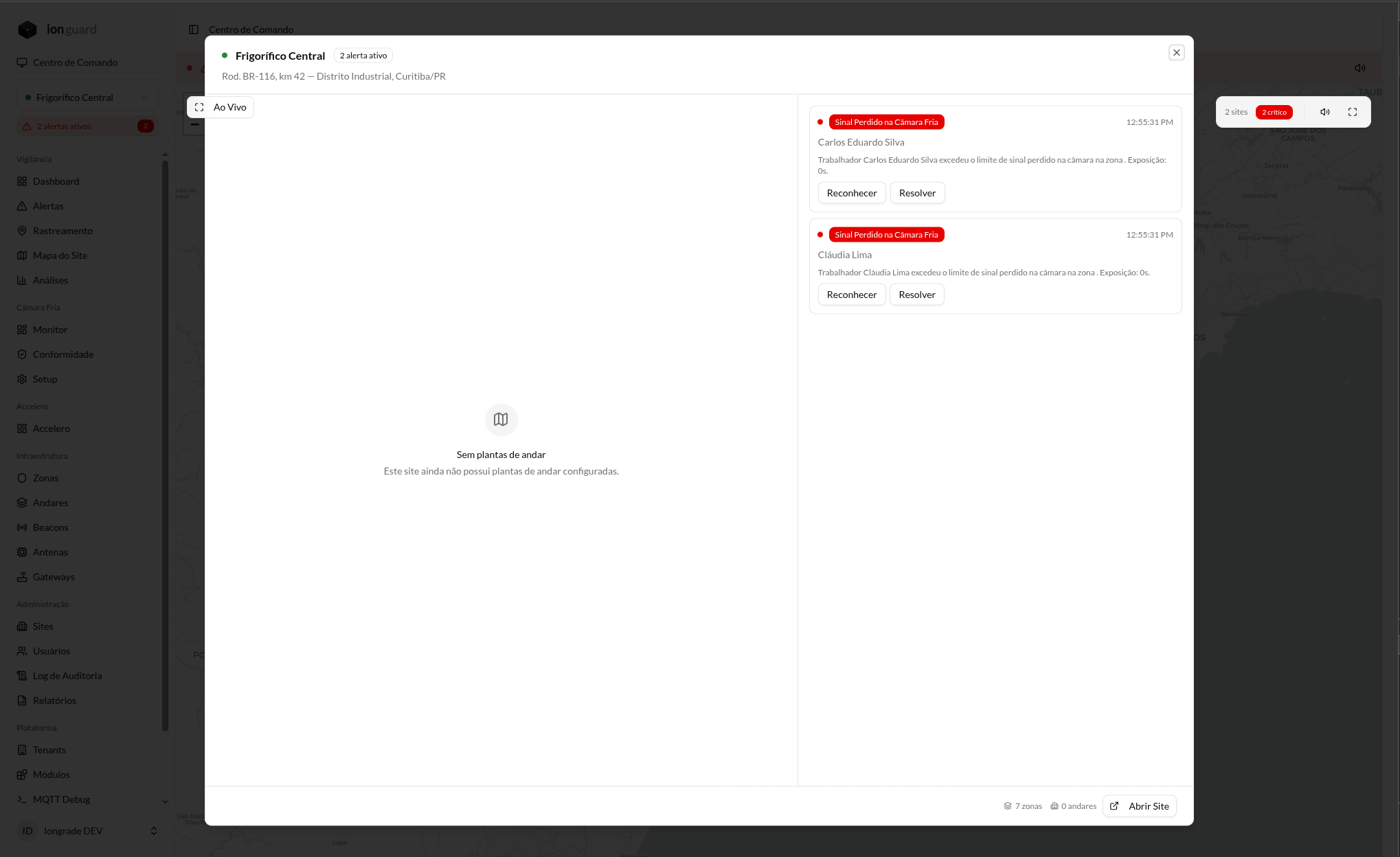
Alert information
Each alert shows:
- Type of the alert (time exceeded or signal lost)
- Worker affected (name and identification)
- Message describing the incident
- Time the alert was generated
Available actions
| Action | Description | Who can perform it |
|---|---|---|
| Acknowledge | Indicates that the operator is aware of the alert and taking action | Operator, TenantAdmin, TenantMaster |
| Resolve | Closes the alert with an explanatory note about the action taken | Operator, TenantAdmin, TenantMaster |
Blind spot detection
The system continuously monitors the status of antennas in cold room zones. A blind spot occurs when:
- An antenna in a cold room zone goes offline (no heartbeat for more than 2 minutes)
- There are workers with active sessions in that zone
- The system cannot confirm whether the workers are still inside the cold room
In this situation, the system:
- Triggers a blind spot alert (signal lost)
- Records a Cold Room Signal Lost violation for each affected worker
- Closes the orphaned sessions after the configured timeout, marking them as having a data gap
A blind spot alert is a real risk situation: the system has lost visibility of workers inside a cold room. The operator must verify on-site whether there are workers inside the room and whether they are safe.
Recommended response flow
The recommended procedure for responding to cold room alerts:
Time exceeded alert
- Receive the alert (red banner + sound)
- Acknowledge the alert in the system
- Contact the worker or the shop floor supervisor
- Confirm that the worker has left the room or is leaving
- Resolve the alert with a note describing the action taken
Blind spot alert
- Receive the signal lost alert
- Acknowledge the alert in the system
- Verify on-site whether there are workers inside the room
- Check the antenna — confirm that it is powered and connected
- Resolve the alert after confirming the workers' safety
Active alerts banner
As long as there are unresolved alerts, a red banner remains visible at the top of all module screens:
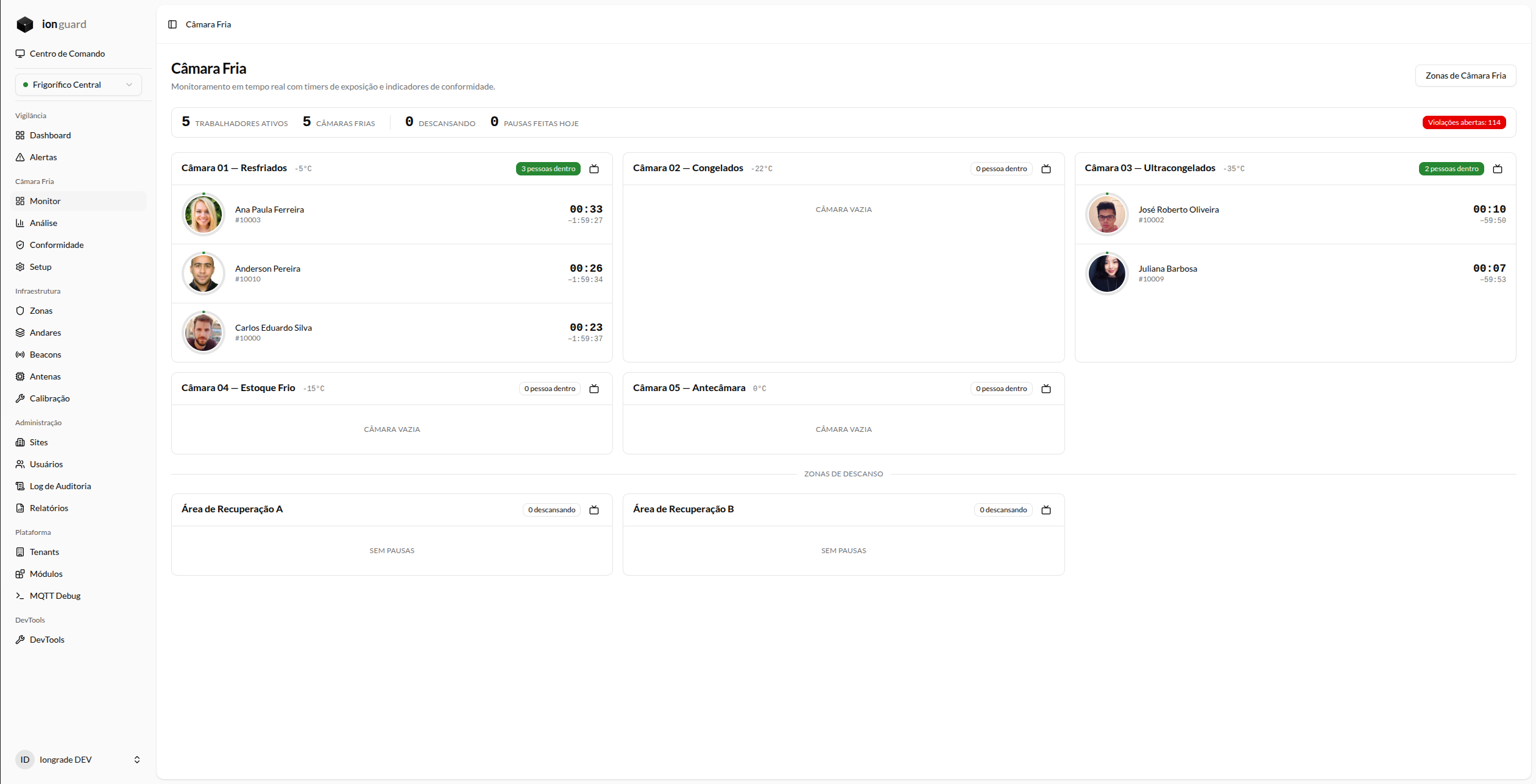
The banner shows:
- Number of active alerts
- A link to view all alerts
- The banner disappears only when all alerts are resolved