Real-Time Monitoring
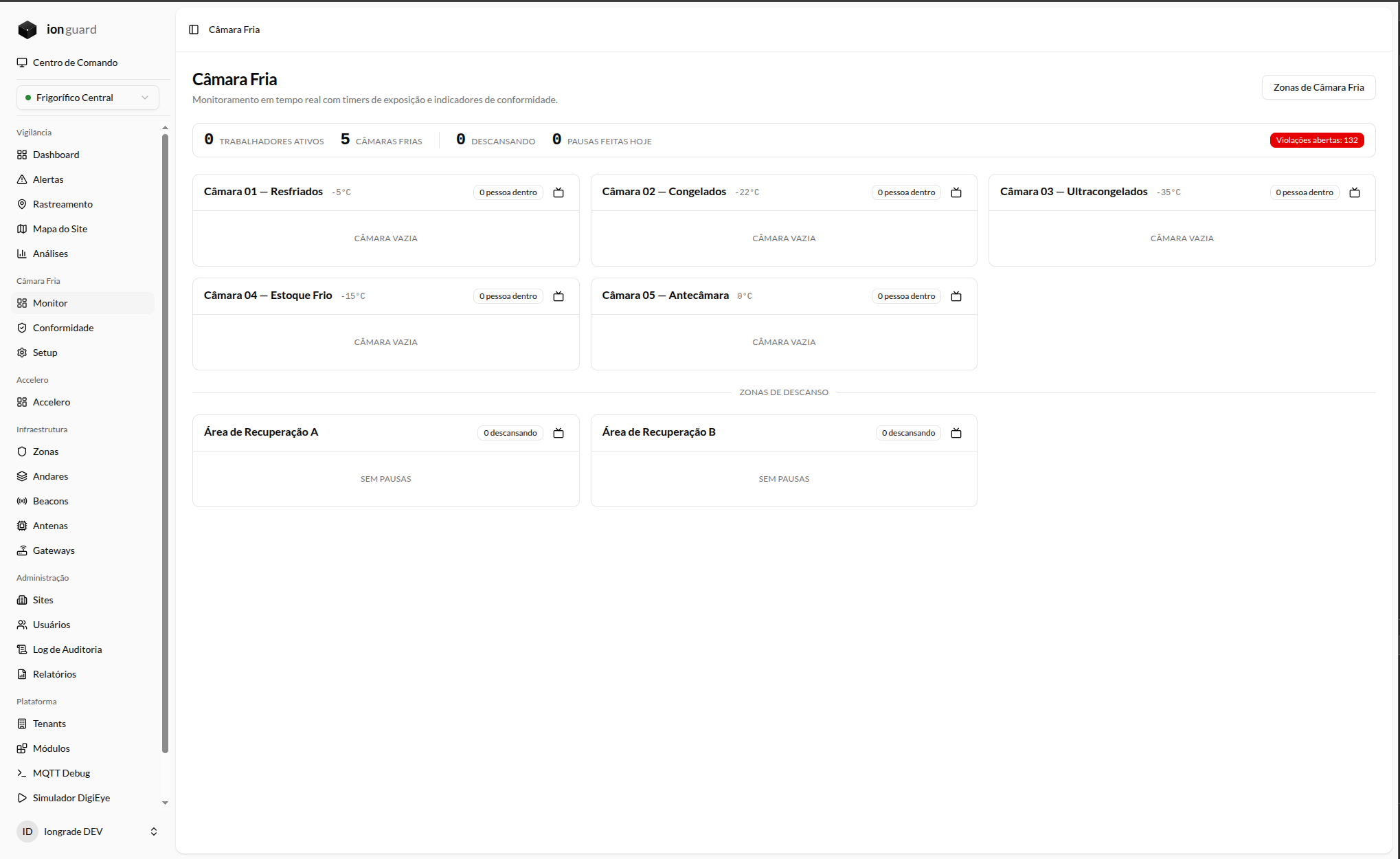
The monitoring panel is the main screen for operators and supervisors during the shift. It displays in real time all cold rooms, active workers, and alerts.
Panel overview
The panel updates automatically via WebSocket — there is no need to reload the page. Information arrives in real time as workers enter and leave the cold rooms.
Top indicators
The top bar displays the site's consolidated indicators:
| Indicator | Description |
|---|---|
| Active workers | Total workers inside cold rooms at this moment |
| Cold rooms | Total cold rooms configured at the site |
| Resting | Workers currently in recovery areas |
| Breaks taken today | Total thermal breaks completed today |
| Violations | Total open (unresolved) violations — shown in red when > 0 |
Cold room cards
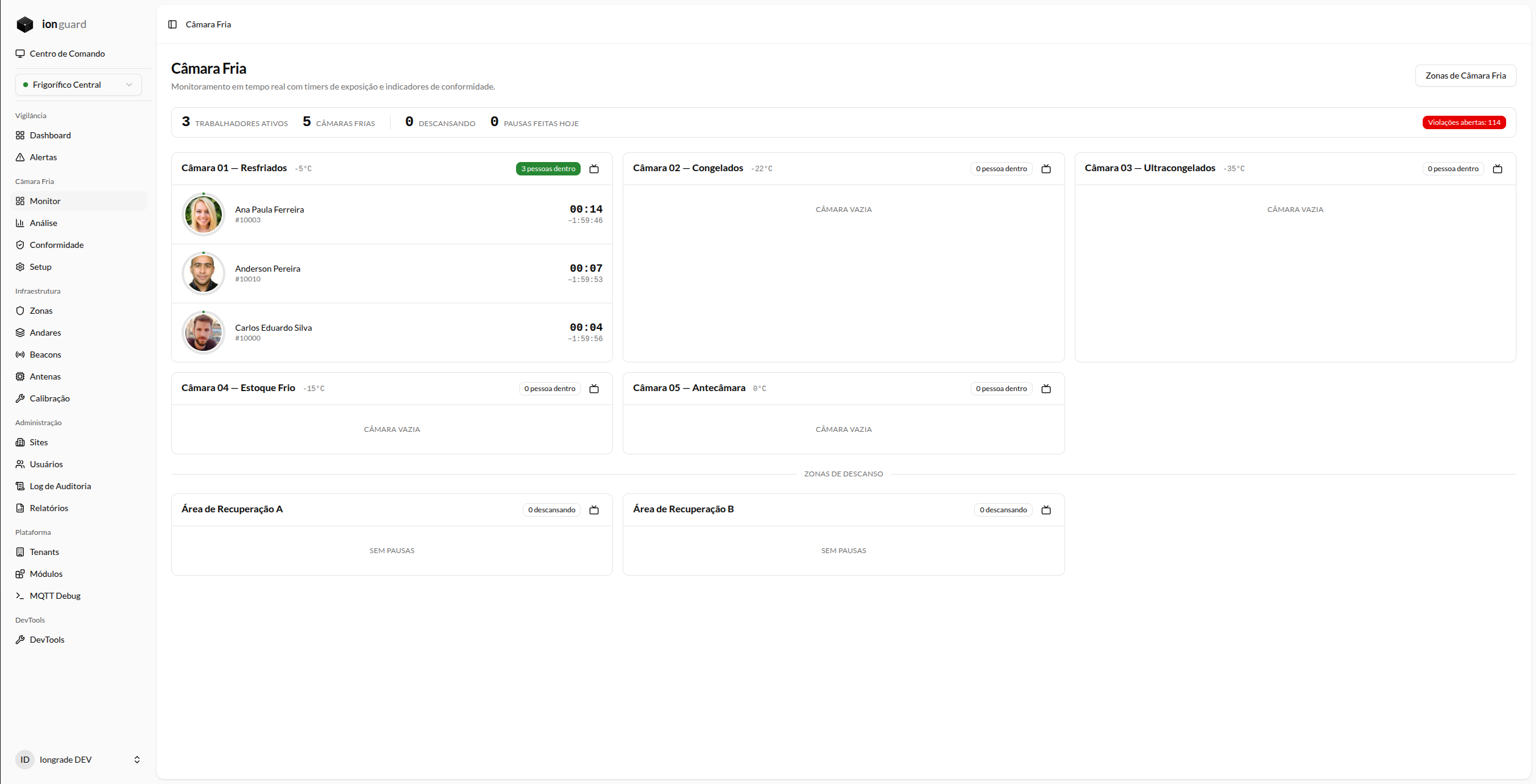
Each cold room is shown as an individual card containing:
- Name and temperature of the zone
- People count inside
- Worker list with photo, name, and exposure timer
Exposure timer
Each worker inside a cold room shows two values:
- Progressive timer — time elapsed since entry (counting up)
- Countdown — time remaining until reaching the regime limit (counting down)
Timer states
The timer changes color as it approaches the limit:
| State | Color | When |
|---|---|---|
| Safe | Green | 0% to 74% of the limit |
| Attention | Yellow | 75% of the limit |
| Alert | Orange | 90% of the limit |
| Critical | Red | 100% or more of the limit |
Recovery area cards
Recovery areas appear at the bottom of the panel. When a worker is on a break, the card shows:
- Worker's name and photo
- Break timer (counting up)
- Minimum time required for the break to be valid
Visual alerts
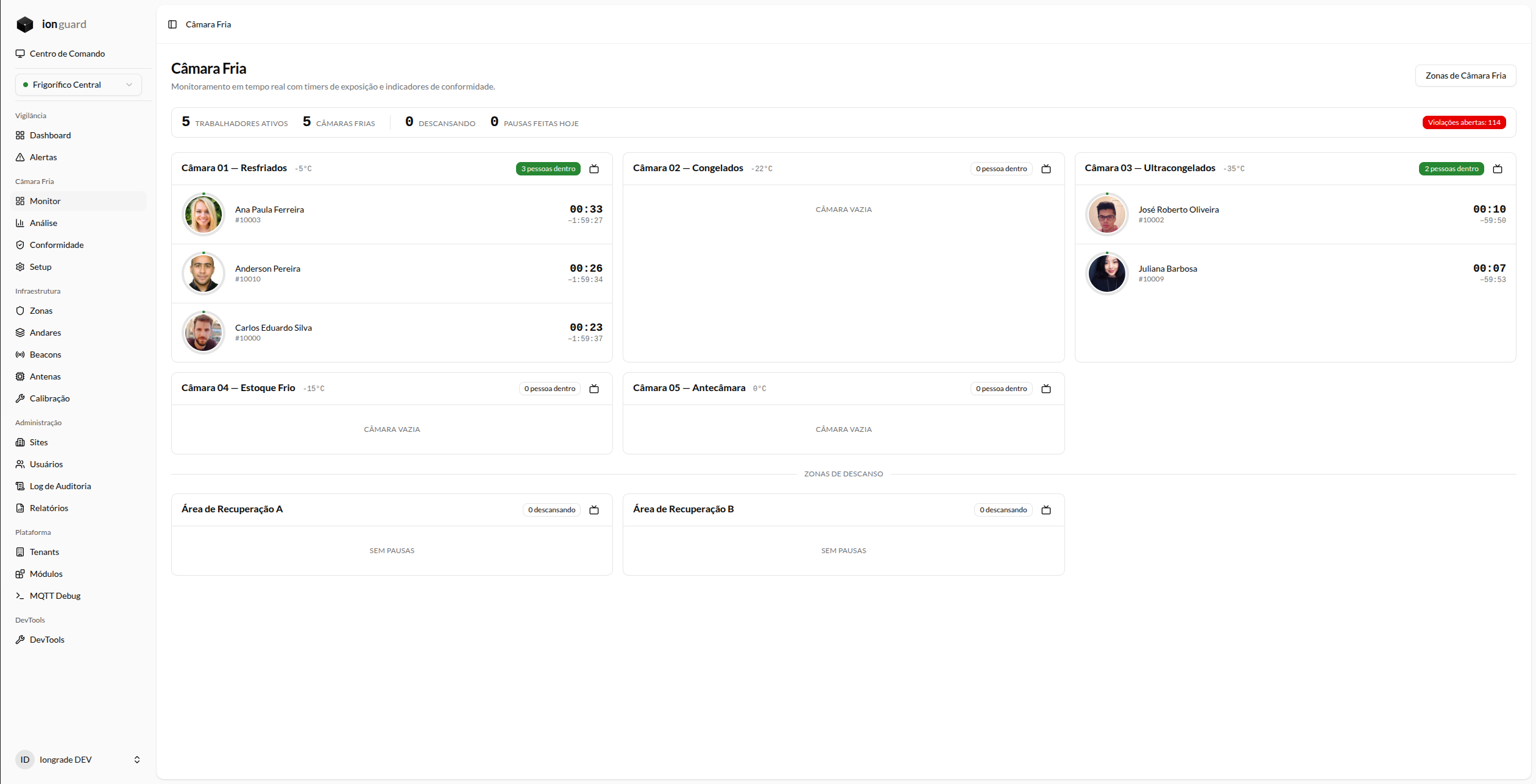
When there are situations that require attention, the panel displays visual indicators:
| Indicator | Meaning |
|---|---|
| Red badge on the card | There are workers with exposure above the limit in this zone |
| Violations badge at the top | Total open violations at the site |
| Red banner | Active alerts awaiting acknowledgment |
If a cold room antenna goes offline while there are workers inside, the system triggers the critical Cold Room Blind Spot alert — monitoring has lost visibility of the workers. This is a real risk situation and requires immediate on-site verification. See Alerts.
Available actions
From the monitoring panel, the operator can:
- Open the wallboard of a specific zone (by clicking the cold room card)
- Access the zone list to see configuration details
- Navigate to violations by clicking the violations badge
Operational best practices
- Keep the monitoring panel open throughout the shift
- Set up wallboards on monitors at the entrances of the cold rooms
- When you receive an alert at 75%, contact the worker to plan the break
- In case of a critical alert (100%), trigger the safety procedure immediately
- Review open violations at the start of each shift