Cold Room Module
ION Guard Cold Room is the safety monitoring solution for workers in refrigerated environments. Using the existing BLE beacon and antenna infrastructure of the Synapsys module, the system automatically controls how long workers stay in cold rooms, ensures compliance with thermal recovery breaks, and triggers alerts when regulatory limits are exceeded.
Cold Room is a module installed and enabled per site. See Modules for installation and enablement.
The problem
Cold rooms and refrigerated environments present serious occupational risks. Prolonged exposure to cold can cause hypothermia, frostbite, and other health problems. Brazilian legislation — through NR-15, NR-36, and CLT Art. 253 — sets strict limits on how long workers may stay and requires mandatory breaks for thermal recovery.
In practice, these limits are controlled manually: wall clocks, spreadsheets filled in by the supervisor, inspection rounds. This method is flawed, prone to oversights, and hard to audit. A worker trapped in a cold room without communication is a life-threatening risk.
The solution
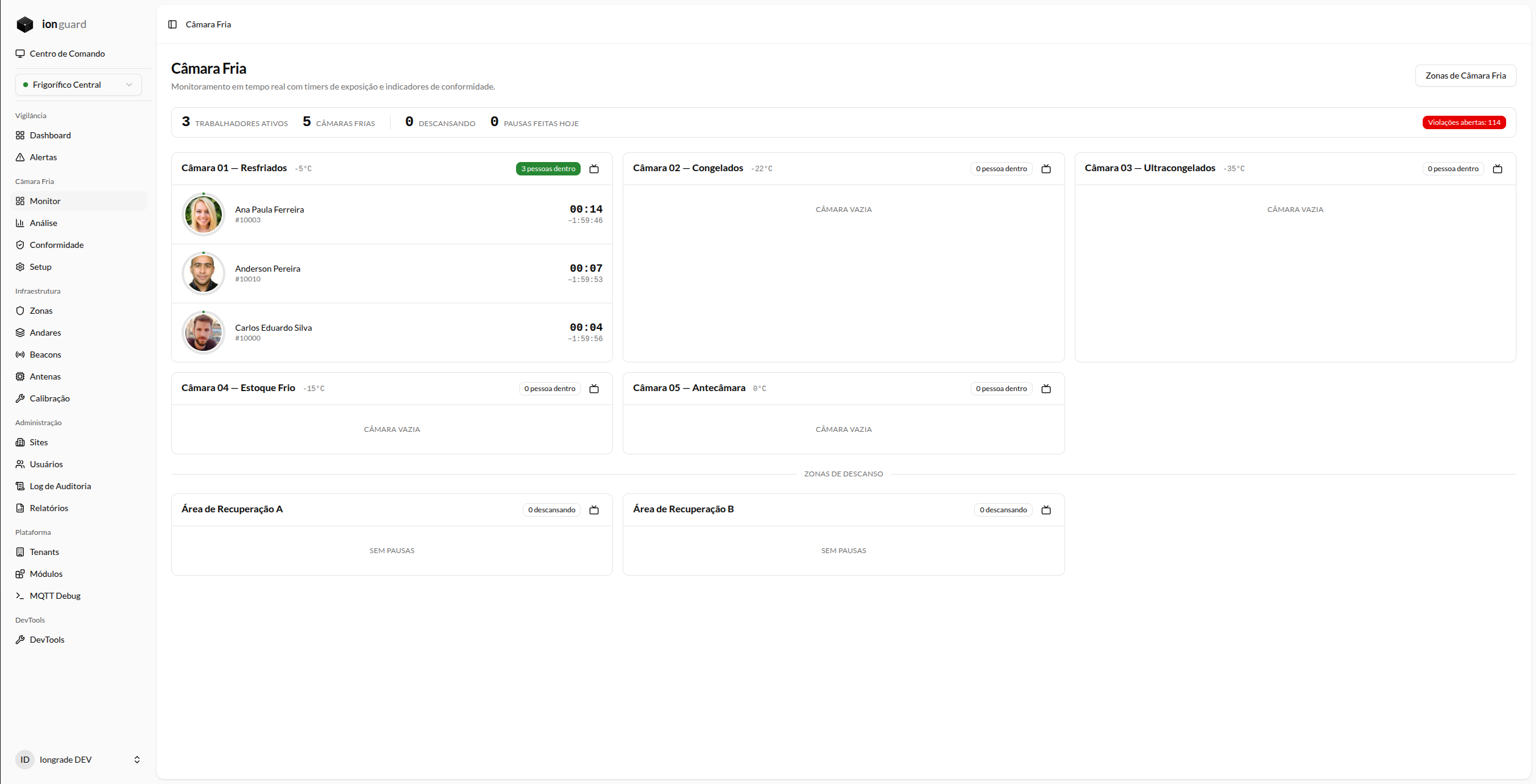
Each worker carries a personal BLE beacon (badge, wristband, or pendant). Antennas installed inside the cold rooms and in the recovery areas automatically detect workers entering and leaving. The system calculates dwell time in real time and generates progressive alerts.
How it works
The monitoring flow is fully automatic:
- Worker enters the cold room — the beacon is detected by the zone's antenna and the exposure timer starts automatically
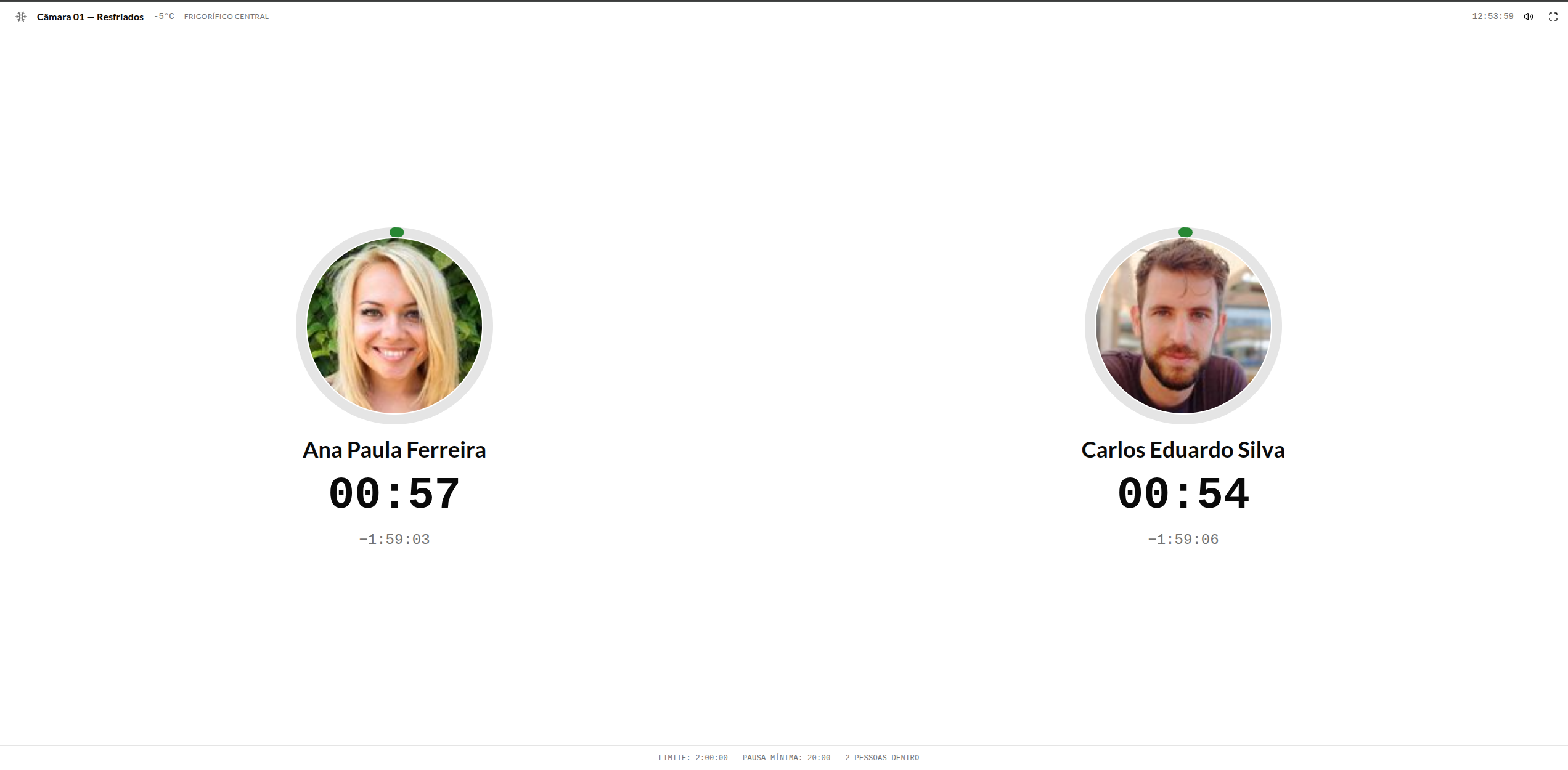
- Continuous monitoring — the system tracks dwell time in real time, displaying timers on the dashboard and on the wallboard
- Progressive alerts — at 75% of the limit, a visual alert is shown; at 90%, an audible alert; at 100%, a critical alert with a violation record
- Exit for recovery — when the worker leaves for the recovery area, the break timer starts automatically
- Validated break — if the break reaches the required minimum time, the exposure cycle is closed and the worker may return
- Shift consolidation — at the end of the day, the system automatically validates whether the shift met all NR-36 requirements
Key concepts
| Concept | Description |
|---|---|
| Cold room zone | Refrigerated area configured in the system with a declared temperature and exposure regime |
| Recovery area | Zone designated for thermal breaks, where the worker warms up before returning |
| Temperature regime | Set of rules (exposure limit + minimum break) associated with a temperature range |
| Exposure session | Continuous period of dwell time in a cold room, with start and end timestamps |
| Thermal break | Mandatory interval in the recovery area for thermal recovery |
| Violation | Record of noncompliance with a regulatory rule — 6 possible types |
For the complete list of terms, see the Glossary.
Temperature regimes
The system implements three temperature ranges in accordance with NR-15 Annex 9:
| Temperature range | Maximum continuous exposure | Minimum break |
|---|---|---|
| 0.0°C to -17.9°C | 100 minutes (1h40) | 20 minutes |
| -18.0°C to -27.9°C | 80 minutes (1h20) | 20 minutes |
| -28.0°C to -80.0°C | 60 minutes (1h00) | 30 minutes |
These values are the defaults based on NR-15 Annex 9 and CLT Art. 253. Administrators can customize the regimes according to stricter internal policies.
Differentiators
| Traditional solution | ION Guard Cold Room |
|---|---|
| Time clock at the door (manual) | Automatic BLE detection — no action from the worker |
| Supervisor's control spreadsheet | Real-time dashboard with automatic alerts |
| Inspection rounds | Continuous 24/7 monitoring |
| Manual report for auditing | Report generated automatically with real data |
| No compliance evidence | Immutable log with SHA-256 hash for evidentiary value |
| Fixed panic button on the wall | Portable panic button — travels with the worker |
Who this documentation is for
| Profile | Recommended documents |
|---|---|
| OHS / Compliance manager | Regulatory Compliance, Compliance and Shifts, Analytics and Reports |
| System administrator | Getting Started, Detailed Configuration, Alerts |
| Monitoring operator | Real-Time Monitoring, Wallboard, Alerts |
| Production supervisor | Real-Time Monitoring, Wallboard |
Suggested reading paths
- First time: Overview → Getting Started → Configuration → Monitoring → Wallboard
- Auditor / OHS: Overview → Regulatory Compliance → Compliance and Shifts → Analytics and Reports
- Daily operator: Monitoring → Wallboard → Alerts
Relationship with Accelero
On the access control side, this same solution appears as the Cold Room integration in Accelero. See: