Visit history
Overview
Record of visits already decided/completed. In the app it is the History tab (with filters by period and by status); in the web panel it is the Approved tab inside Visits, also reachable through the View History link. It lets you review who visited, when, and with what outcome.
In the app and in the web panel
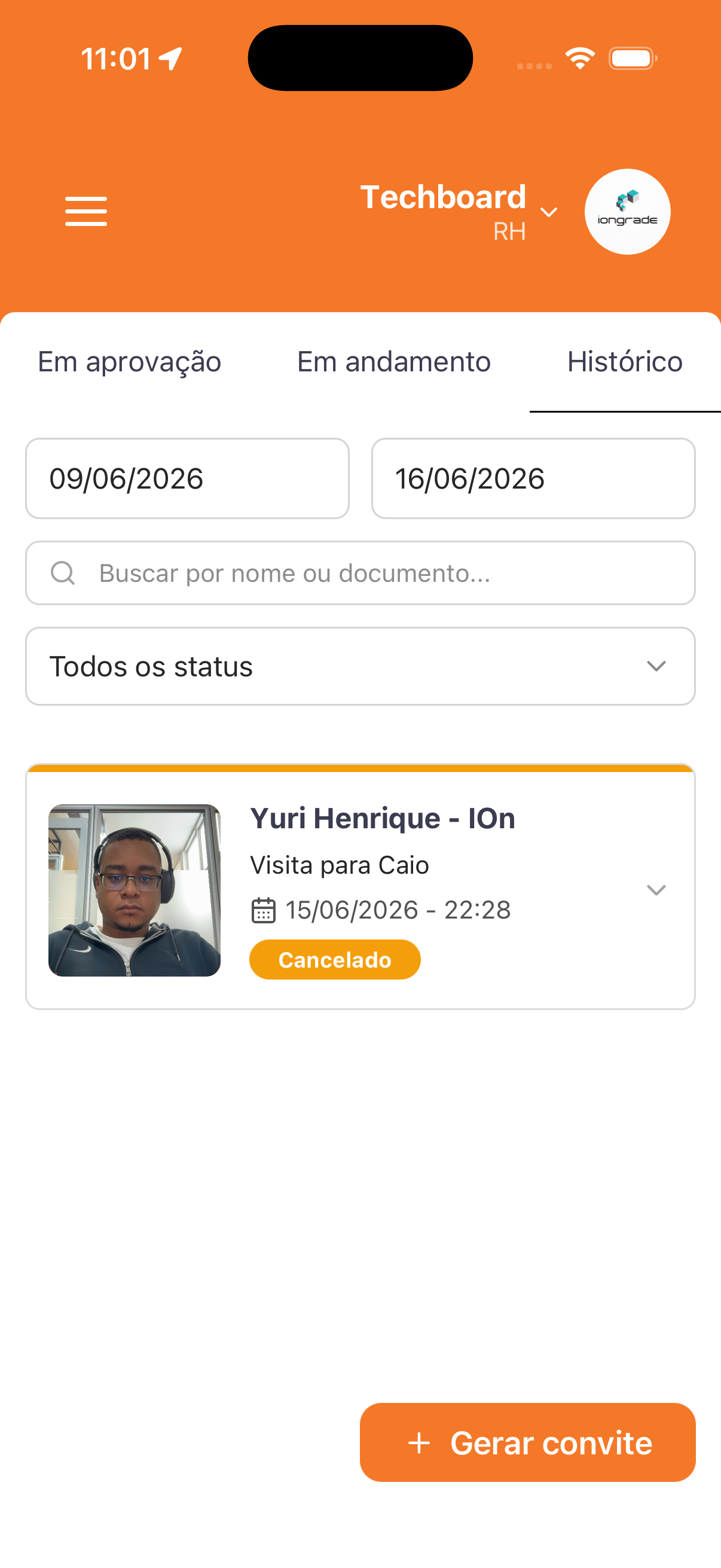
- App — History tab: among the Awaiting approval / In progress / History tabs. It brings two date fields forming a period (e.g.,
09/06/2026to16/06/2026), the Search by name or document... field, and the All statuses selector. Each card has a photo, name, Visit to ... (host), date/time (e.g.,15/06/2026 - 22:28), and the status (e.g., a Canceled badge). A + Generate invitation button.
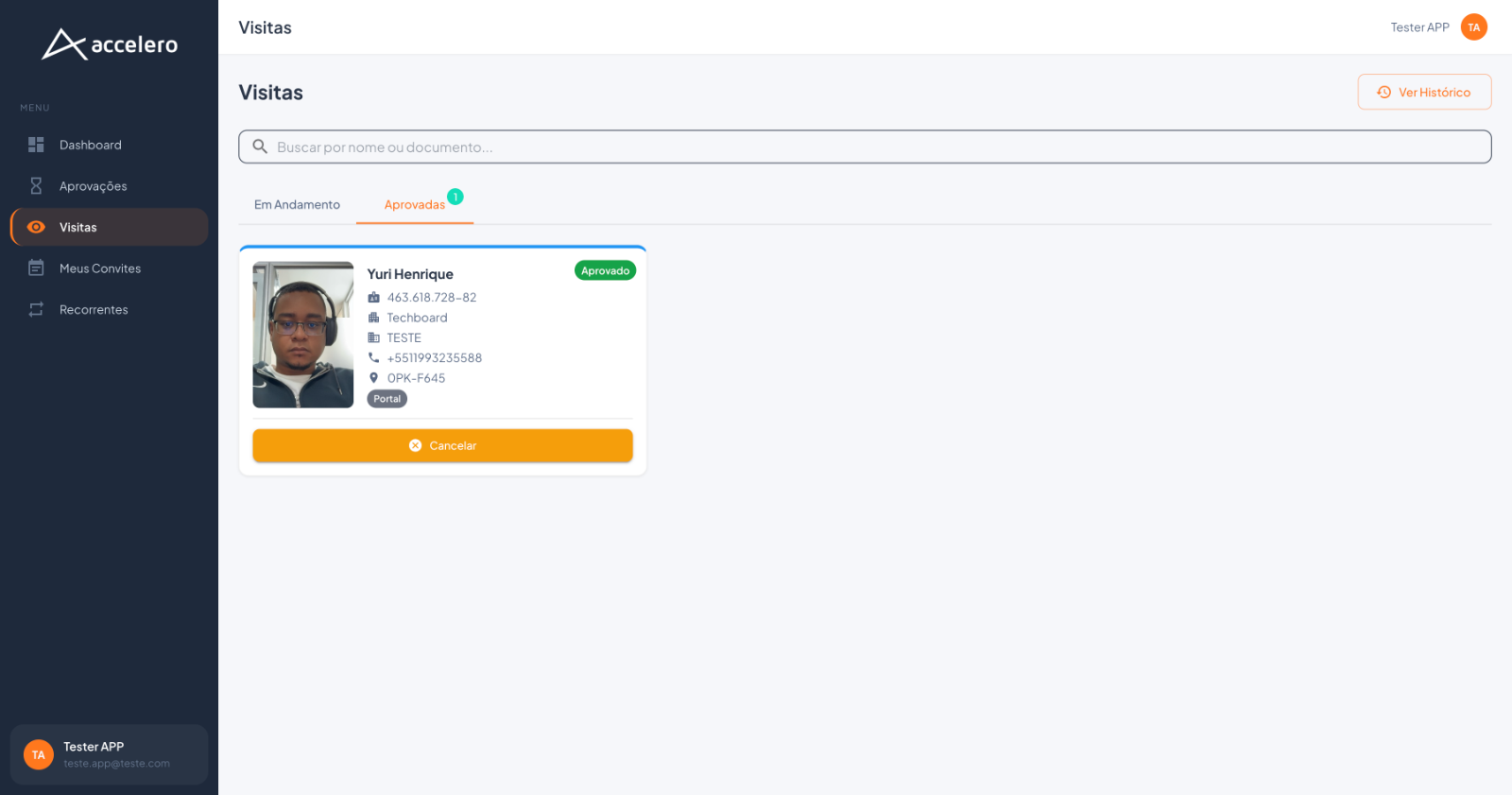
- Web panel — Approved tab (in Visits): the In Progress and Approved tabs (with a counter). A card with a photo (framed), name, an Approved badge, CPF, company, service/project, phone, location code, the source tag (e.g., Portal), and the Cancel button.
Fields / filters
- Period (app) — two dates (start and end).
- Search — by name or document.
- Status (app) — the All statuses selector.
- Per visit: photo, name, host/company, date/time, and status. In the web panel, also CPF, phone, location, and the invitation source.
States / statuses
- Approved (green badge) — approved/completed visit.
- Canceled (orange badge, app) — canceled visit.
- The All statuses selector (app) allows filtering by situation.
For you
Use the history to look up past visits and the outcome of each one. In the app, adjust the period (dates), search by name/document, and filter by status; in the web panel, open the Approved tab or click View History. Visits still underway stay in Visits in progress.