Visits in progress
Overview
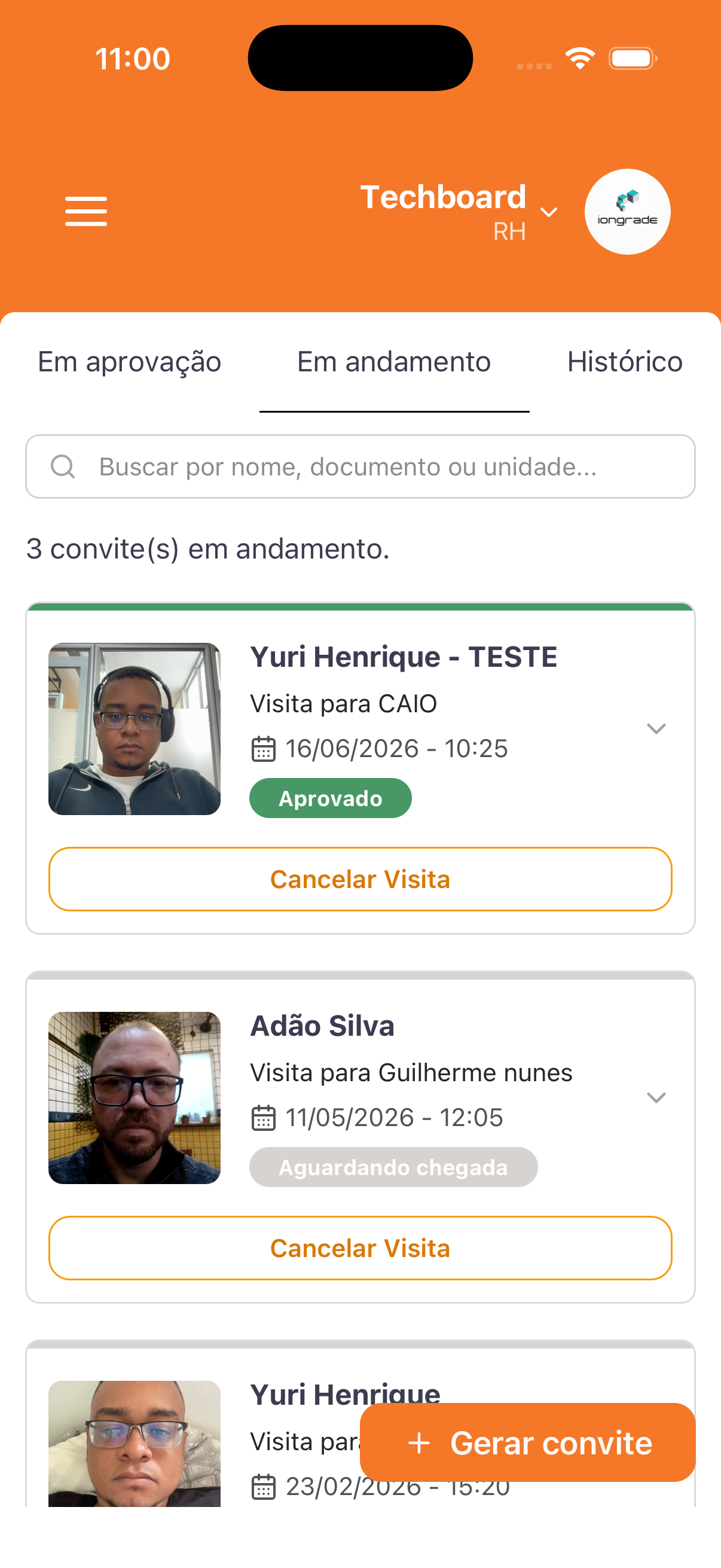
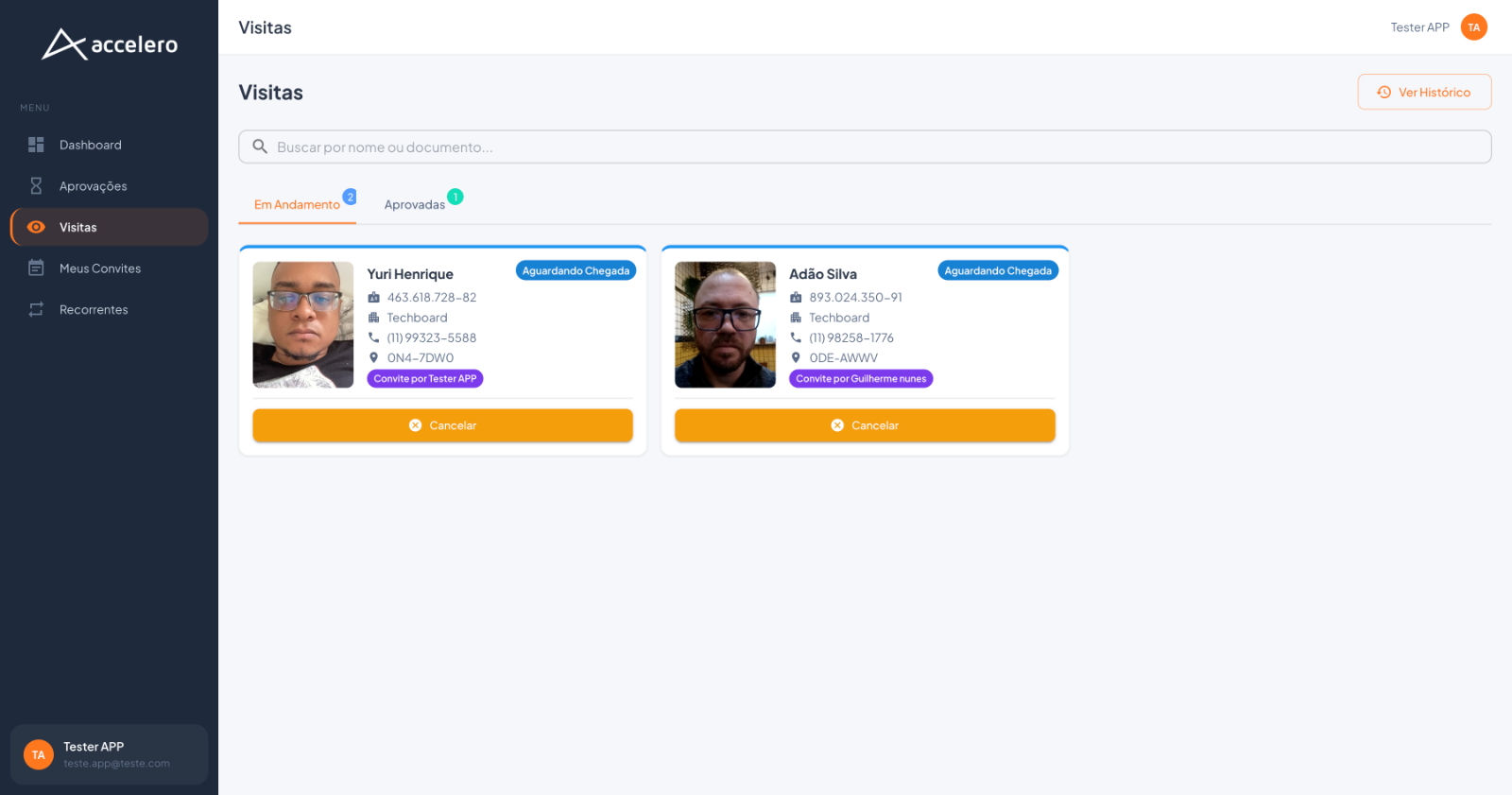
Already approved visits that are underway — awaiting arrival or currently in progress. In the app it is the In progress tab; in the web panel it is the In Progress tab inside Visits. Both show cards with the visitor's data and allow you to cancel the visit.
In the app and in the web panel
- App — In progress tab: among the Awaiting approval / In progress / History tabs. It has a search (Search by name, document, or unit...) and a counter, e.g., 3 invitation(s) in progress. Cards in a column, each with photo, name, Visit to ... (host), date/time, status, and the Cancel Visit button. A floating + Generate invitation button.
- Web panel — In Progress tab (in Visits): the In Progress and Approved tabs, each with a counter. Cards side by side with more details: photo, name, CPF, company, phone, a location code, the tag of who invited (e.g., Invitation by Tester APP), the status, and the Cancel button. There is also the View History link.
Fields (per visit)
- Photo and name of the visitor.
- App: Visit to ... (host) and date/time (e.g.,
16/06/2026 - 10:25). - Web panel: CPF, company (e.g., Techboard), phone, location code, and the Invitation by ... tag (who generated the invitation).
- Status of the visit (see below).
Actions
- Cancel Visit (app) / Cancel (web) — ends/cancels the visit in progress.
- + Generate invitation (app) — shortcut for a new invitation.
States / statuses
- Approved (green badge) — approved visit.
- Awaiting arrival (app) / Awaiting Arrival (web) — approved, the visitor has not arrived yet.
For you
Here you track the visits you have already released and that have not yet ended — who is Awaiting arrival and who is already Approved/present. Use the search to find a person and Cancel if the visit is no longer going to happen. Completed/decided visits move to the Visit history.