Invitations
Overview
The Invitations area gathers the visit invitations registered in Accelero Visitas. Each invitation links a visitor to a host (visited person), in a location (company + unit/department), with a date window and a status that follows the visit life cycle (from request to completion). Invitations can be individual (Invitations) or organized into Invitation Groups.
In the side menu, Invitations is an expandable group with: Invitation Groups, Invitations, Recurring Groups and Recurring Invitations. This page covers regular invitations and their groups (the recurring variant has its own page).
How to access
In the side menu, under Management > Invitations, choose Invitations (individual list) or Invitation Groups (grouped list).
List columns (Invitations)
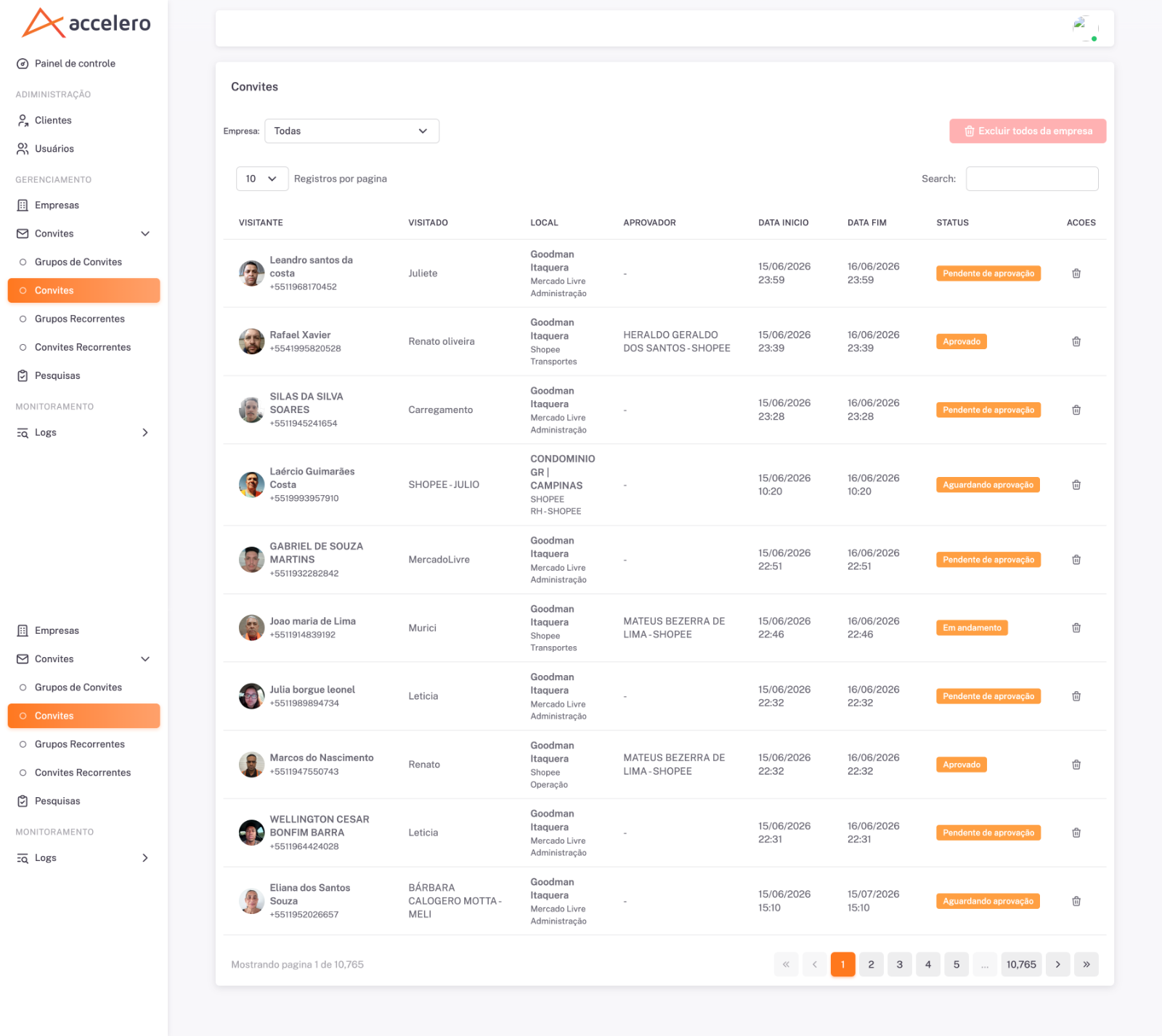
- Visitor — name, photo and phone number of the visitor.
- Host — the person who will receive the visit.
- Location — company and unit/department (e.g., company "Goodman Itaquera", location "Mercado Livre", department "Administração").
- Approver — who approves the invitation (may show "-" when there is none yet).
- Start date and End date — invitation window.
- Status — current situation (e.g.,
Pending approval,Approved). - Actions — menu/icons per row (includes delete).
The list has a filter by Company ("All"), a search box (Search), a "Records per page" selector and pagination. There is also the Delete all from company button (highlighted in red), which deletes in bulk the invitations of the company selected in the filter.
List columns (Invitation Groups)
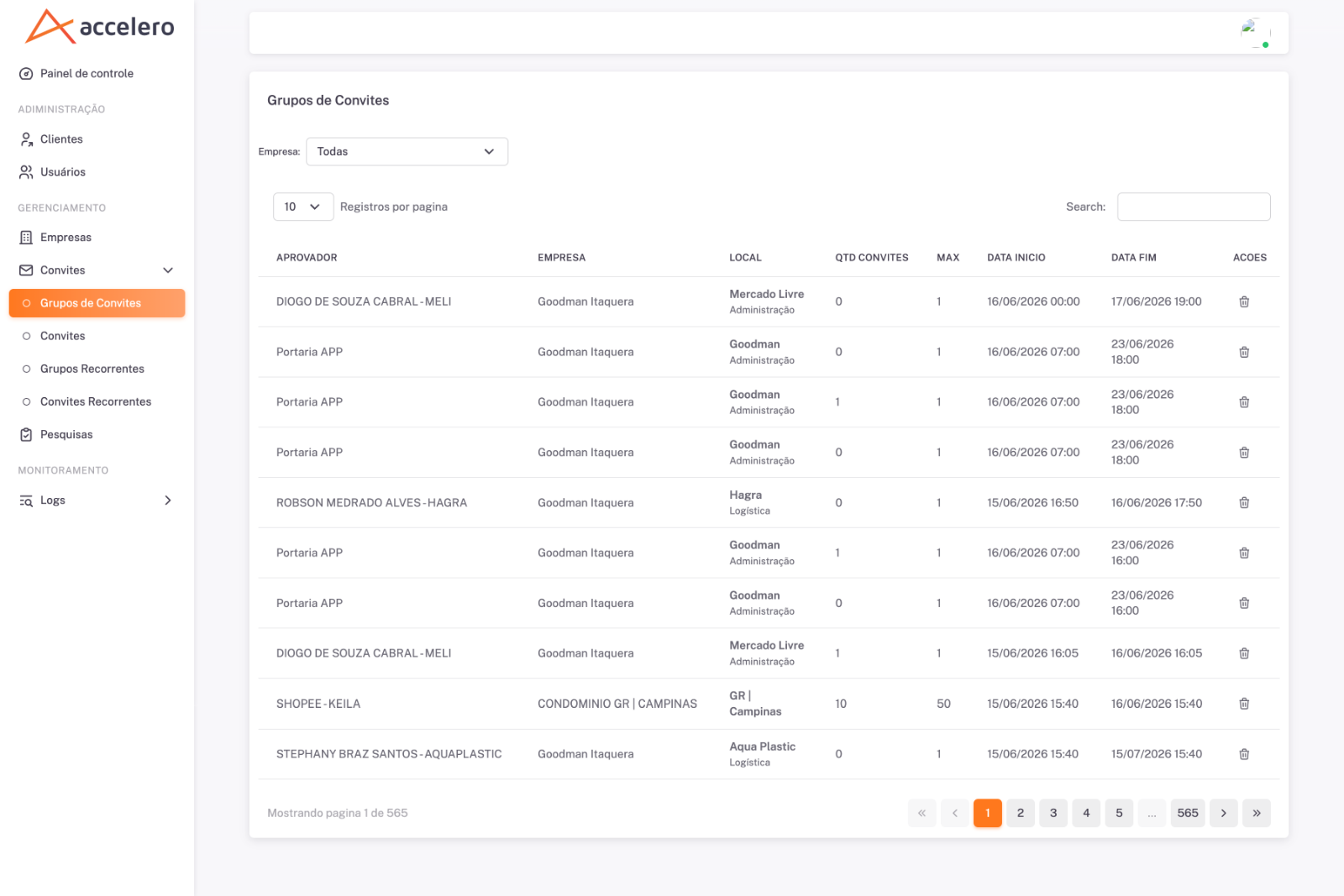
- Approver — approver of the group.
- Company — company of the group.
- Location — unit/department (e.g., "Mercado Livre / Administração").
- Invitation count — number of invitations already in the group.
- Max — maximum invitation limit of the group.
- Start date and End date — group window.
- Actions — delete.
It has a filter by Company, Search, a records-per-page selector and pagination.
States / statuses
Invitations carry a Status that appears in the list as a colored tag. The screenshots show, among others, Pending approval and Approved. The complete set of operation situations is shown in the Dashboard (Status distribution): Approved, Canceled, In progress, Completed, Awaiting arrival, Rejected, Pending approval and Awaiting approval.
Filters
- Company — restricts the list to one company (or "All").
- Search — free text search in the table.
Business rules
- An Invitation Group holds several invitations up to the limit defined in Max; the Invitation count column shows how many already exist.
- The invitation goes through a sequence of statuses until it is completed (or canceled/rejected).
- Delete all from company is a bulk operation on the filtered company — use with caution.
The Location of each invitation (company + unit/department) reflects the structure synchronized with Accelero; unit/department discrepancies usually come from the Units synchronization. The Start date / End date window and the group Max define the time/volume contract of the invitations.