Approvers
Overview
Approvers are the people, linked to a company, who receive and decide (approve or reject) the visit invitations. They work through the approver application (mobile app or approver web panel). Here you register who is an approver, their access data and for which units and departments they can approve visits.
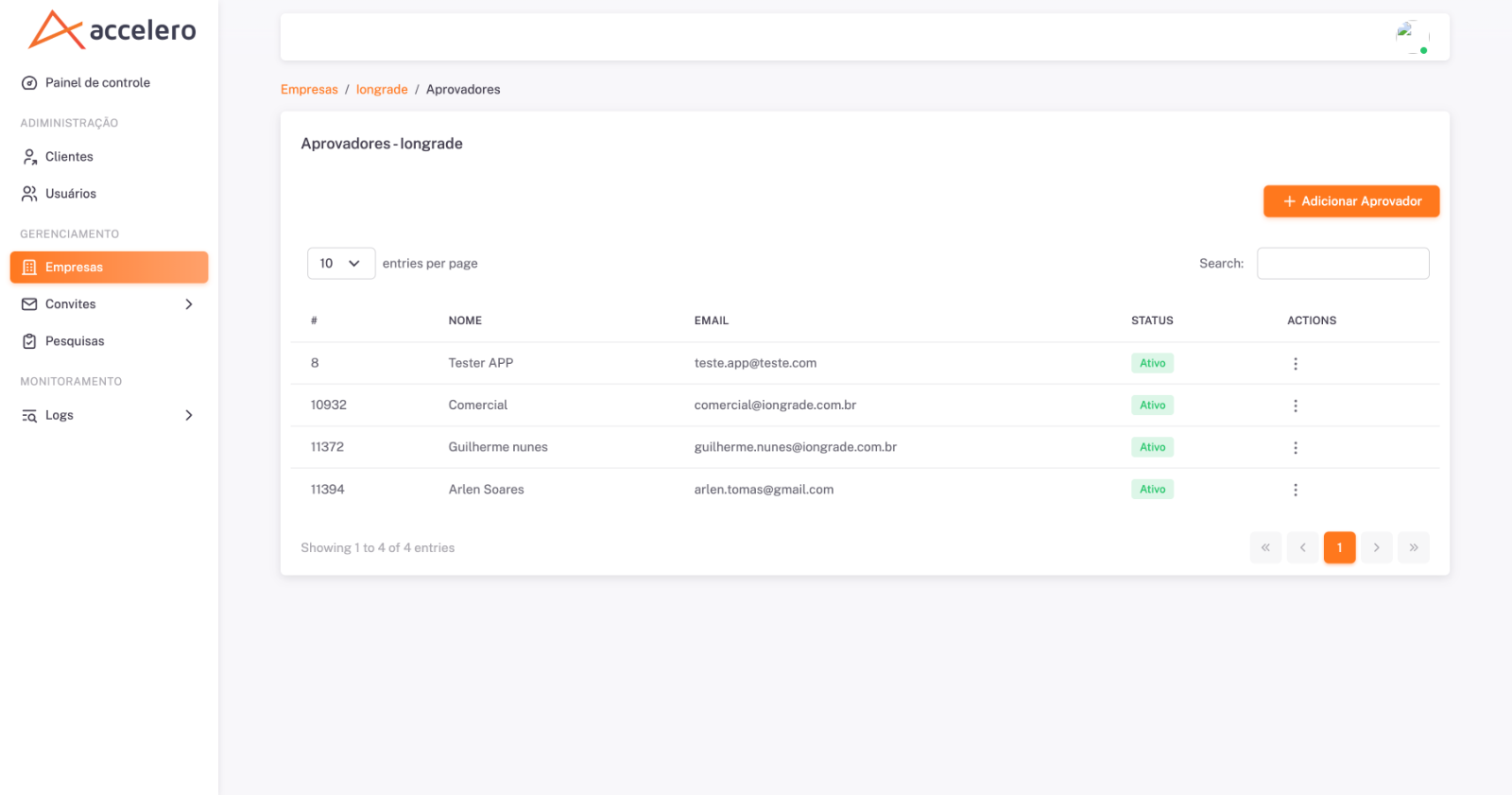
The screen is accessed from a specific company (breadcrumb Companies / {company} / Approvers).
How to access
In the Companies list, open the actions menu of a company and choose Approvers. The title shows "Approvers - {company}".
List columns
- # — approver identifier.
- Name — approver name.
- Email — email (used to access the approver application).
- Status —
Active/ inactive. - Actions — menu per row.
The list has Search, an items-per-page selector and pagination. + Add Approver button.
Fields (create / edit)
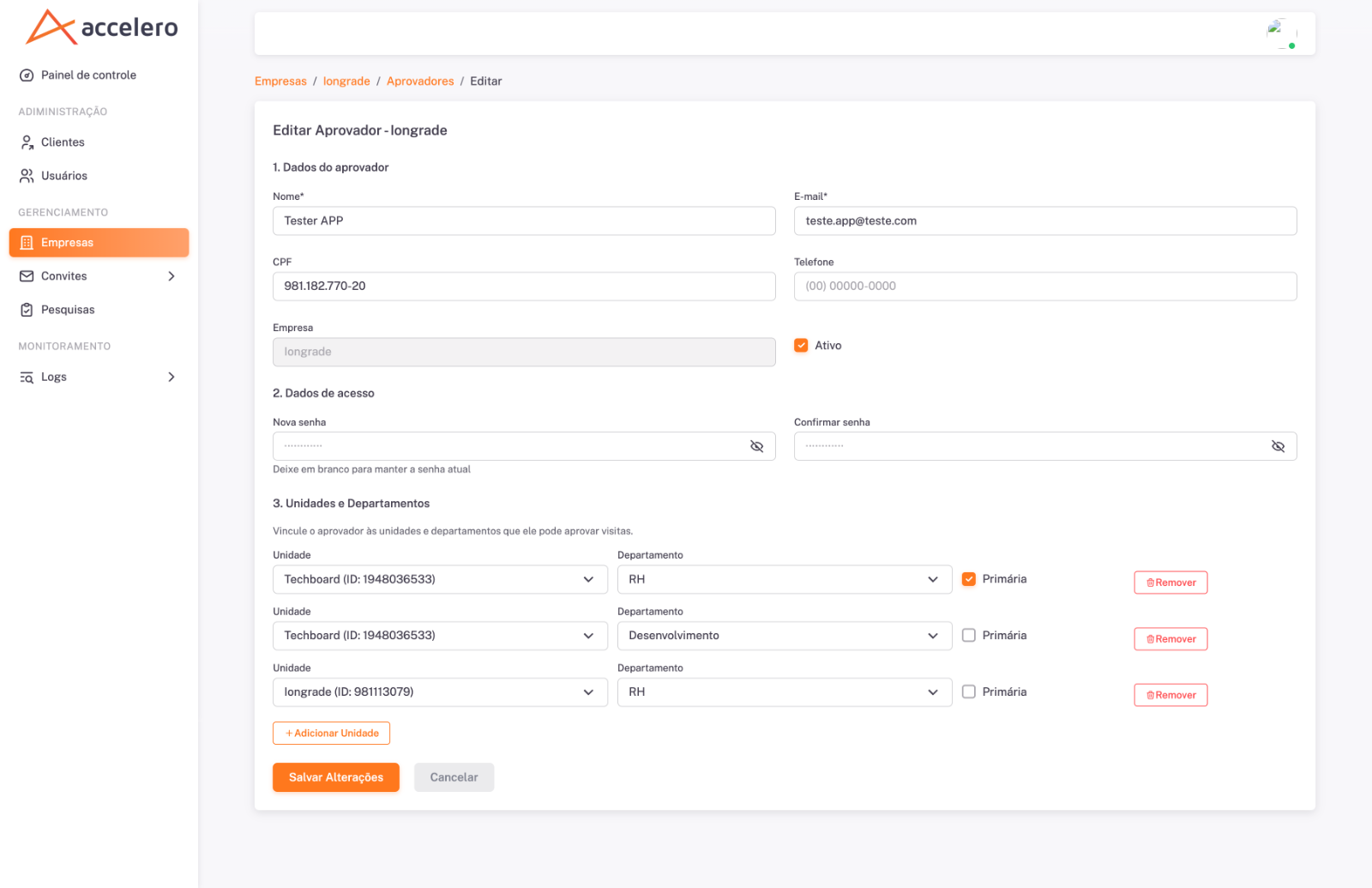
Create and edit use the same form (editing comes pre-filled and has the title "Edit Approver - {company}"). It is divided into three blocks:
1. Approver data
- Name* — required.
- Email* — required.
- CPF — approver's document.
- Phone — contact.
- Company — approver's company (read-only).
- Active — checkbox.
2. Access data
- New password — password definition/change (with the note "Leave blank to keep the current password").
- Confirm password — password repetition.
3. Units and Departments
- List of the approver's links. Each row has Unit (with the ID), Department, a Primary mark and the Remove button.
- + Add Unit button to include new links.
- Section text: "Link the approver to the units and departments for which they can approve visits."
Actions: Save Changes and Cancel.
Business rules
- An approver can be linked to several units/departments; each link determines which visits reach them.
- The Primary mark distinguishes the main link from the others.
- The password only needs to be entered to create or change it; left blank, it keeps the current one.
- Inactive approvers do not receive/decide invitations.
The units and departments offered in the links come from the company's Units registry (synchronized by External ID with Accelero). The links display the unit ID in parentheses — useful to check, in the data contract, whether the approver points to the correct structure coming from the integration.
Related
- Companies
- Units
- Invitations
- Recurring invitations