Confirmation
Overview
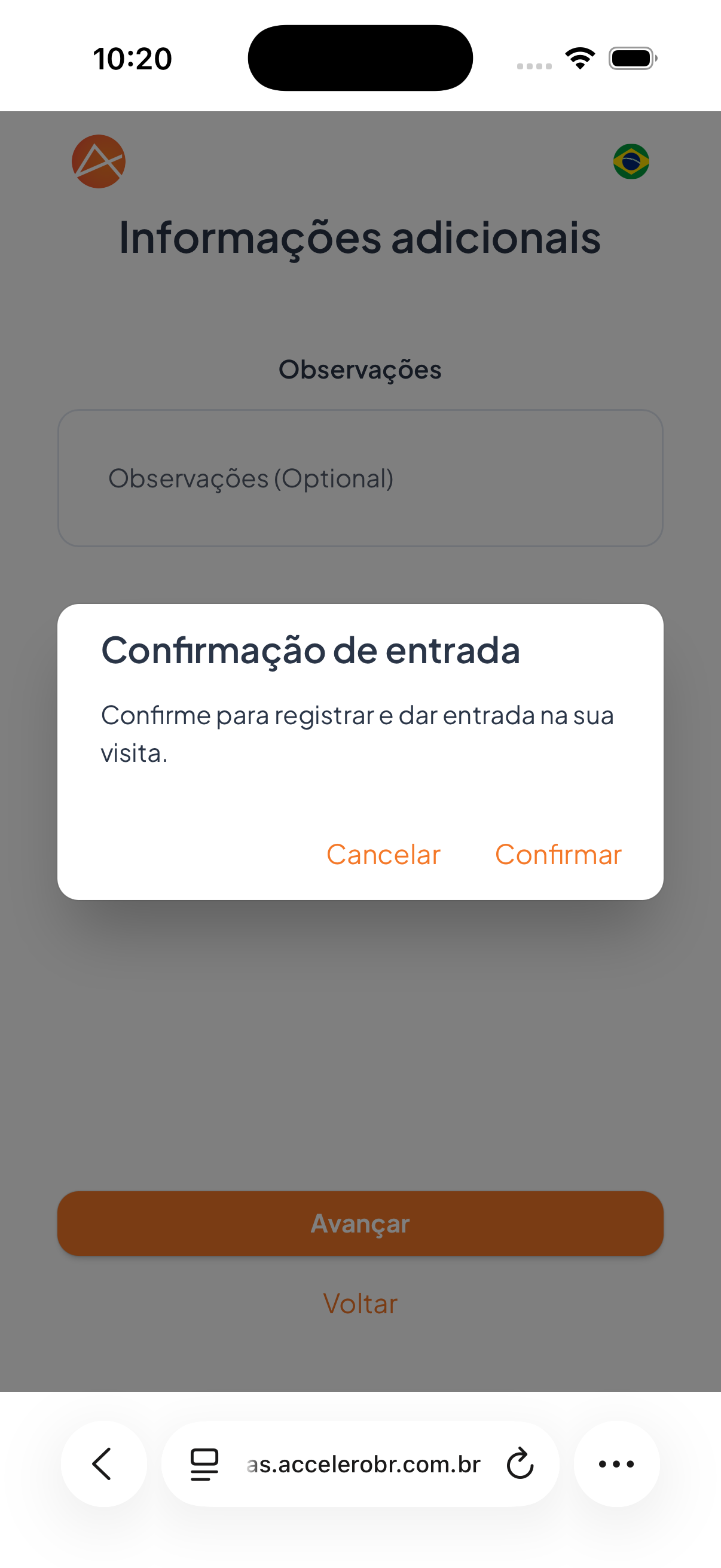
Final step for confirming the check-in. Over the "Additional information" screen, an "Entry confirmation" dialog box appears asking the visitor to confirm and register the entry for the visit.
What you see
- Dialog box "Entry confirmation".
- Text "Confirm to register and enter your visit."
- Actions Cancel and Confirm.
Step by step
- Review the data provided in the previous steps.
- In the Entry confirmation box, tap Confirm to register and enter the visit.
- If you want to review first, tap Cancel to go back.
States
- Confirm: registers the entry and sends the invitation, moving on to the authorization/invitation screen.
- Cancel: closes the confirmation without registering, keeping the visitor on the previous step.
For you
This is the final confirmation. When you tap Confirm, your entry is registered and the request goes to the host for authorization. If you need to correct anything, tap Cancel before confirming.