Visit history
Overview
The "My visits" area, where the visitor checks their previous and ongoing visits. First you must identify yourself (document and cell phone) and accept the terms; then the list is shown in two tabs: Visits and Recurring.
What you see
Identification screen ("My visits"):
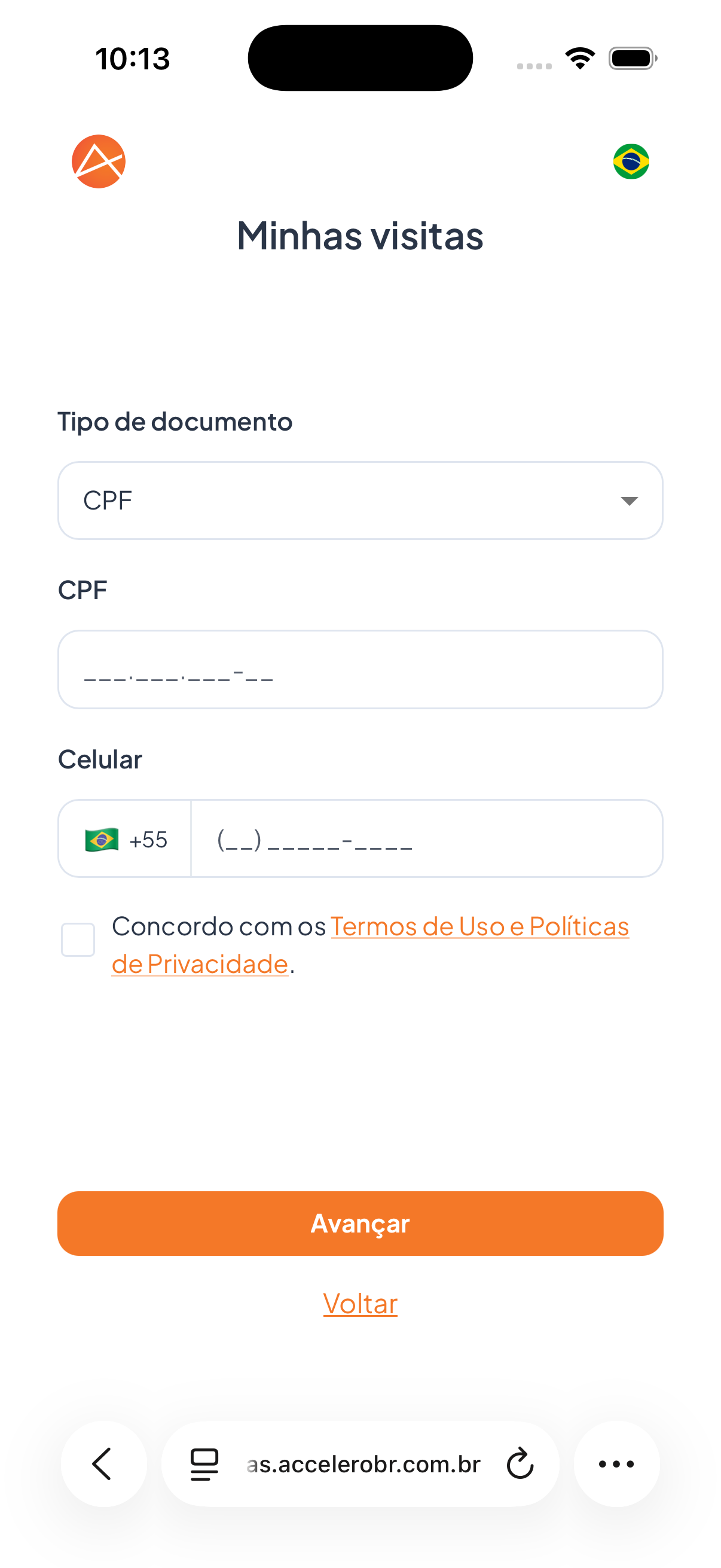
- Field Document type (e.g., CPF).
- Field CPF with the mask
___.___.___-__. - Field Cell phone with the +55 country code.
- Acceptance box: "I agree with the Terms of Use and Privacy Policies." (with links).
- Button Next and link Back.
List ("My visits") with the Visits and Recurring tabs:
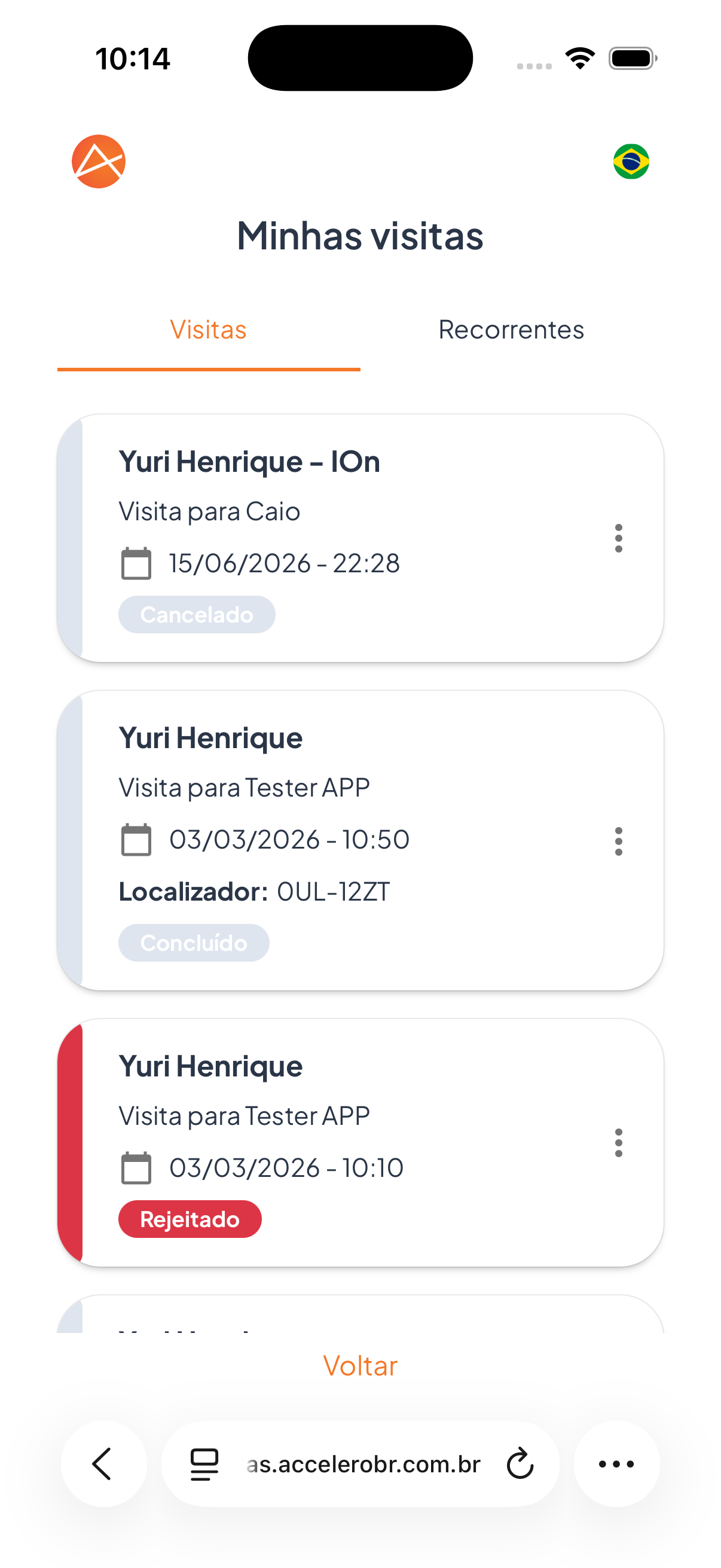
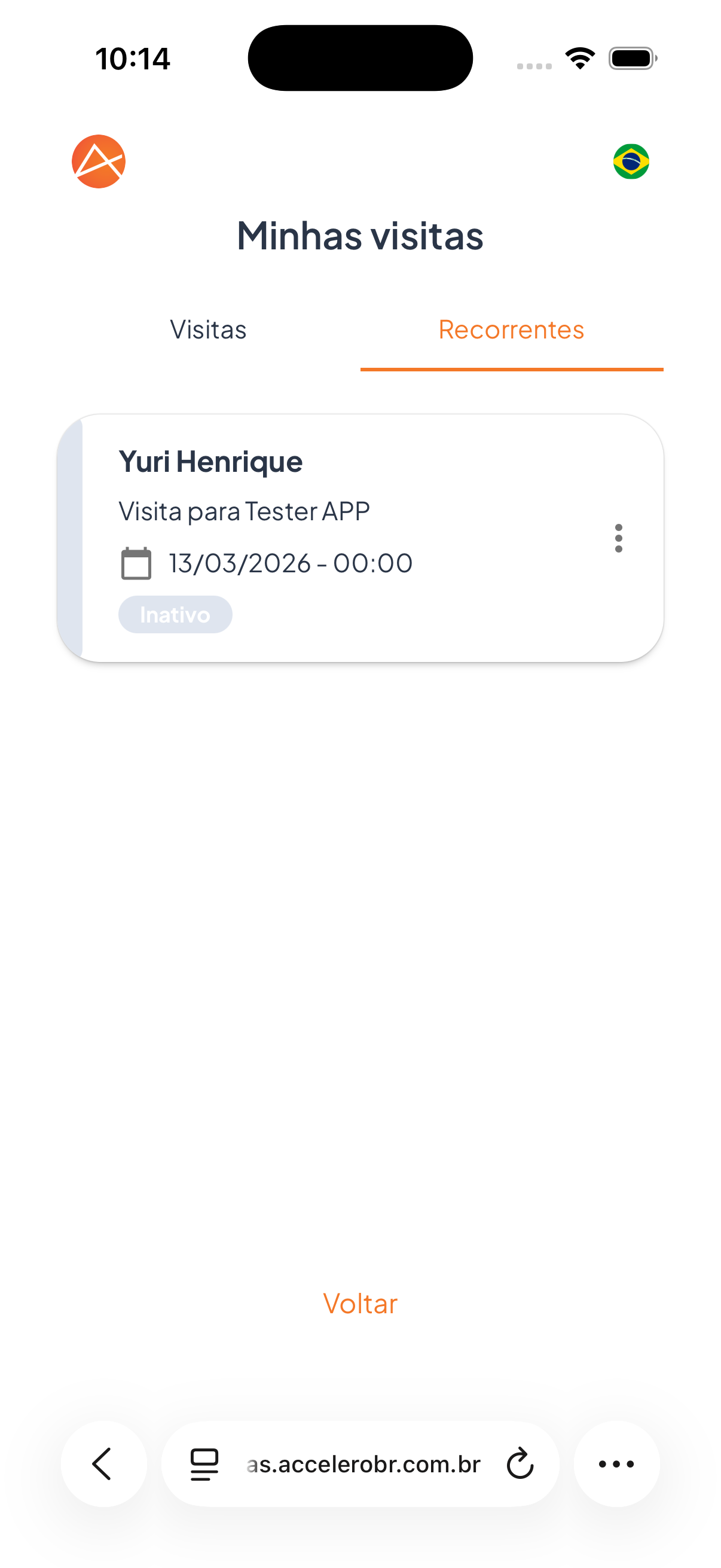
- Each card shows the name, "Visit to [person]", date and time, and the Locator (when there is one).
- Status tags, for example: Canceled, Completed, Rejected (Visits tab) and Inactive (Recurring tab).
- Options menu (⋮) on each card.
- Link Back.
Fields
- Document type — type of document used to locate the visits.
- CPF — document number.
- Cell phone — phone with the +55 country code.
- Terms acceptance — mandatory confirmation box.
Step by step
- Fill in Document type, CPF, and Cell phone.
- Check "I agree with the Terms of Use and Privacy Policies."
- Tap Next.
- Switch between the Visits and Recurring tabs to see the records.
- Use the (⋮) menu on a card to see the options for that visit.
States
- Visits: one-off records, with statuses such as Completed, Canceled, or Rejected.
- Recurring: recurring visits, with statuses such as Inactive.
For you
To see your history, identify yourself with document and cell phone and accept the terms. In the list, switch between Visits (one-off) and Recurring to follow the status and the Locator of each visit.