Identification
Overview
Step in which the visitor provides identification and informs who they want to visit. On the "Identify yourself" screen you fill in document, name, and cell phone. Next, on the "Required information" screen, you indicate who you want to talk to and which company you represent.
What you see
Screen "Identify yourself":
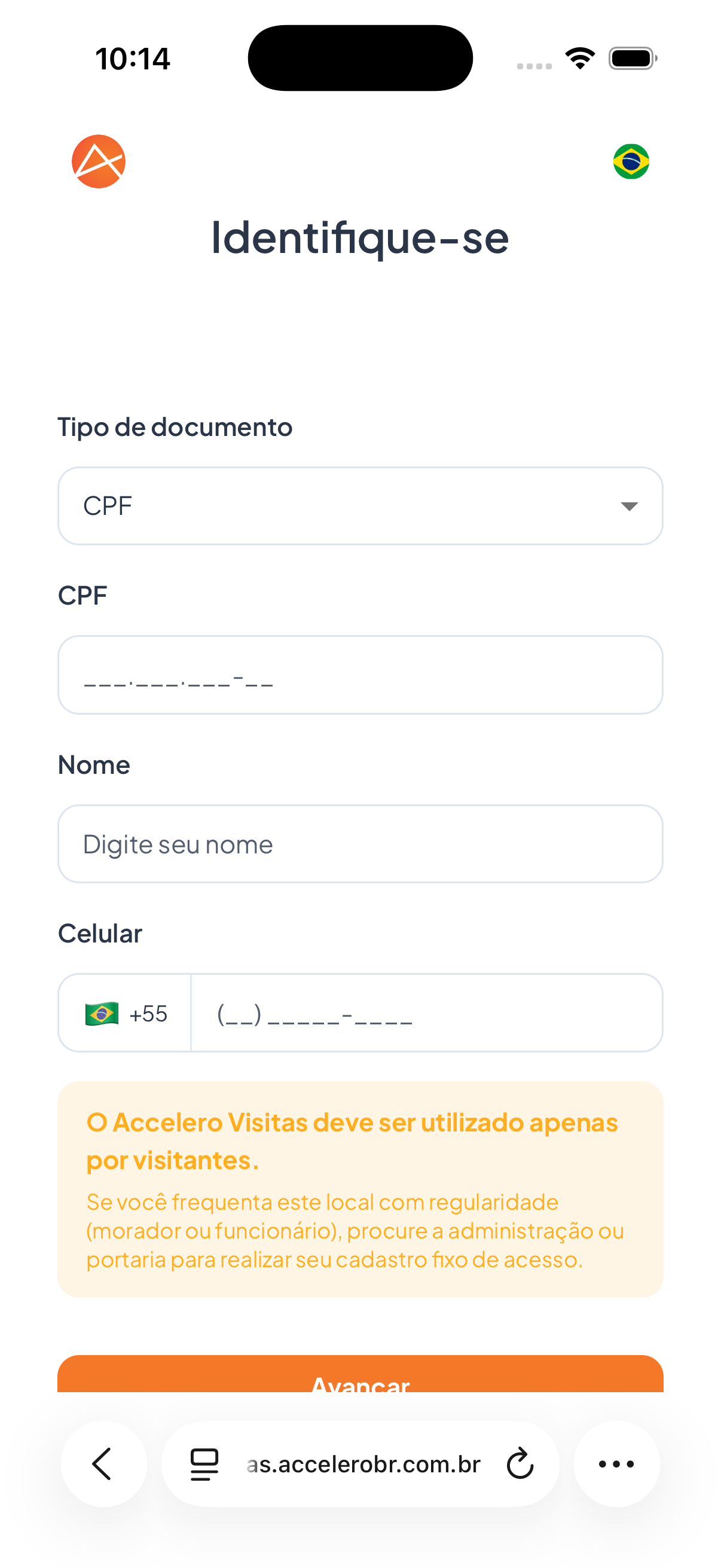
- Field Document type (selector, with CPF as an option).
- Field CPF with the mask
___.___.___-__. - Field Name, placeholder "Enter your name".
- Field Cell phone, with the +55 country code and the Brazilian flag.
- Highlighted notice: "Accelero Visitas should be used only by visitors." followed by "If you come to this location regularly (resident or employee), contact the administration or the front desk to set up your permanent access registration."
- Button Next.
Screen "Required information":
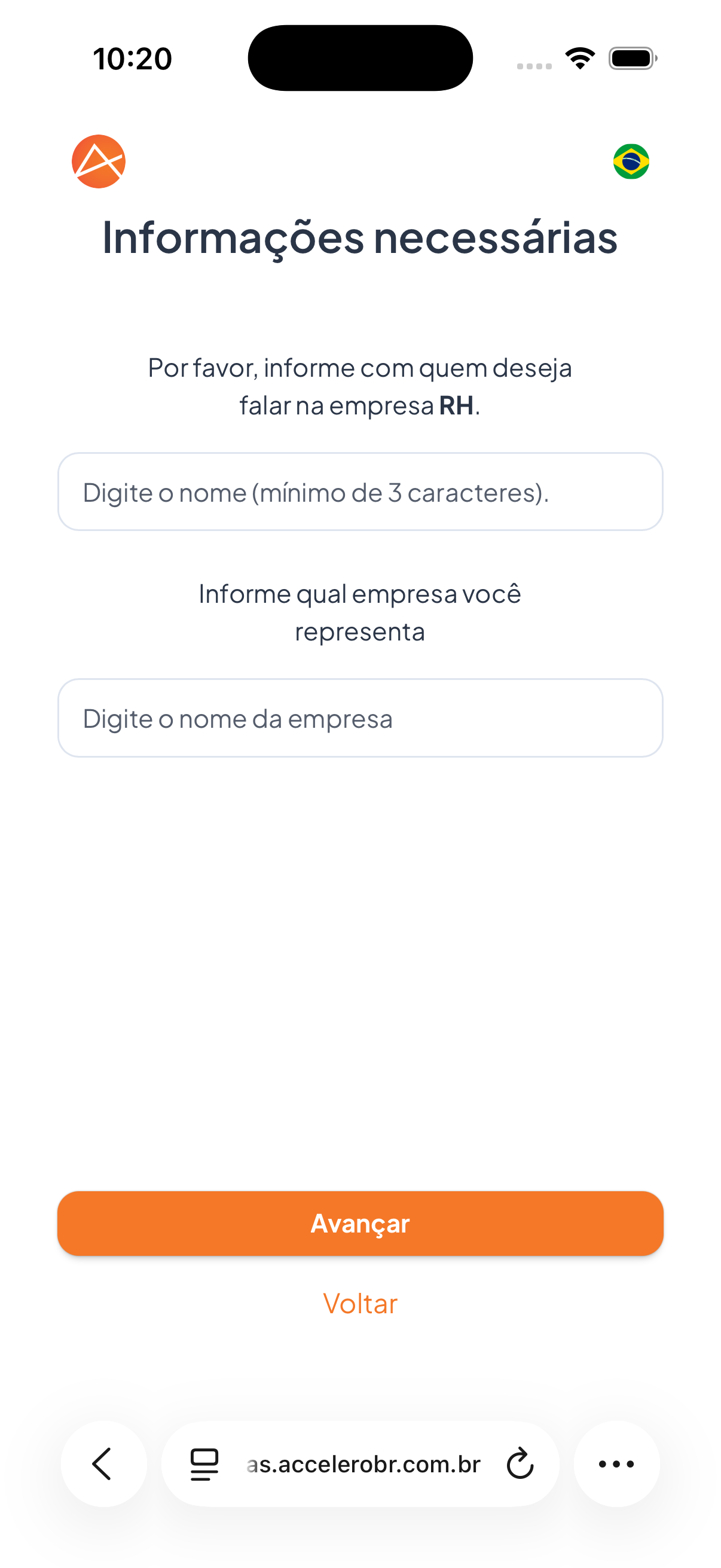
- Text "Please inform who you want to talk to at the company RH." with the field "Enter the name (minimum of 3 characters)."
- Text "Inform which company you represent" with the field "Enter the company name".
- Button Next and link Back.
Fields
- Document type — selection of the type (e.g., CPF).
- CPF — document number, with mask.
- Name — visitor's full name.
- Cell phone — phone with the +55 country code.
- Who you want to talk to — name of the destination person/department (minimum of 3 characters).
- Company you represent — name of the visitor's company.
Step by step
- Choose the Document type and fill in the CPF.
- Enter your Name and Cell phone.
- Tap Next.
- On the next screen, inform who you want to talk to and which company you represent.
- Tap Next.
For you
This platform is for visitors only. If you are a resident or employee and come to the location regularly, contact the administration or the front desk for a permanent registration. Fill in your data carefully and correctly indicate the person who will receive your visit.