Visit type
Overview
Step in which the visitor informs how they will arrive. First you choose the Visit type (by car/vehicle or on foot) and, when the entry is by vehicle, you also choose the Entry type (vehicle category).
This step only exists when the company is a logistics center (the Is a logistics center switch in the company Settings). When the company is not a logistics center, the step does not appear: the visit is always assumed to be on foot (pedestrian) and the flow goes straight to identification, with no vehicle data.
When this step appears
- Company is a logistics center: the visitor sees Visit type (Car/Pedestrian) and, when choosing vehicle, Entry type (Motorcycle/Car/Van/Truck).
- Company is not a logistics center: the step is skipped; every visit is entered as on foot.
What you see
Screen "Visit type":
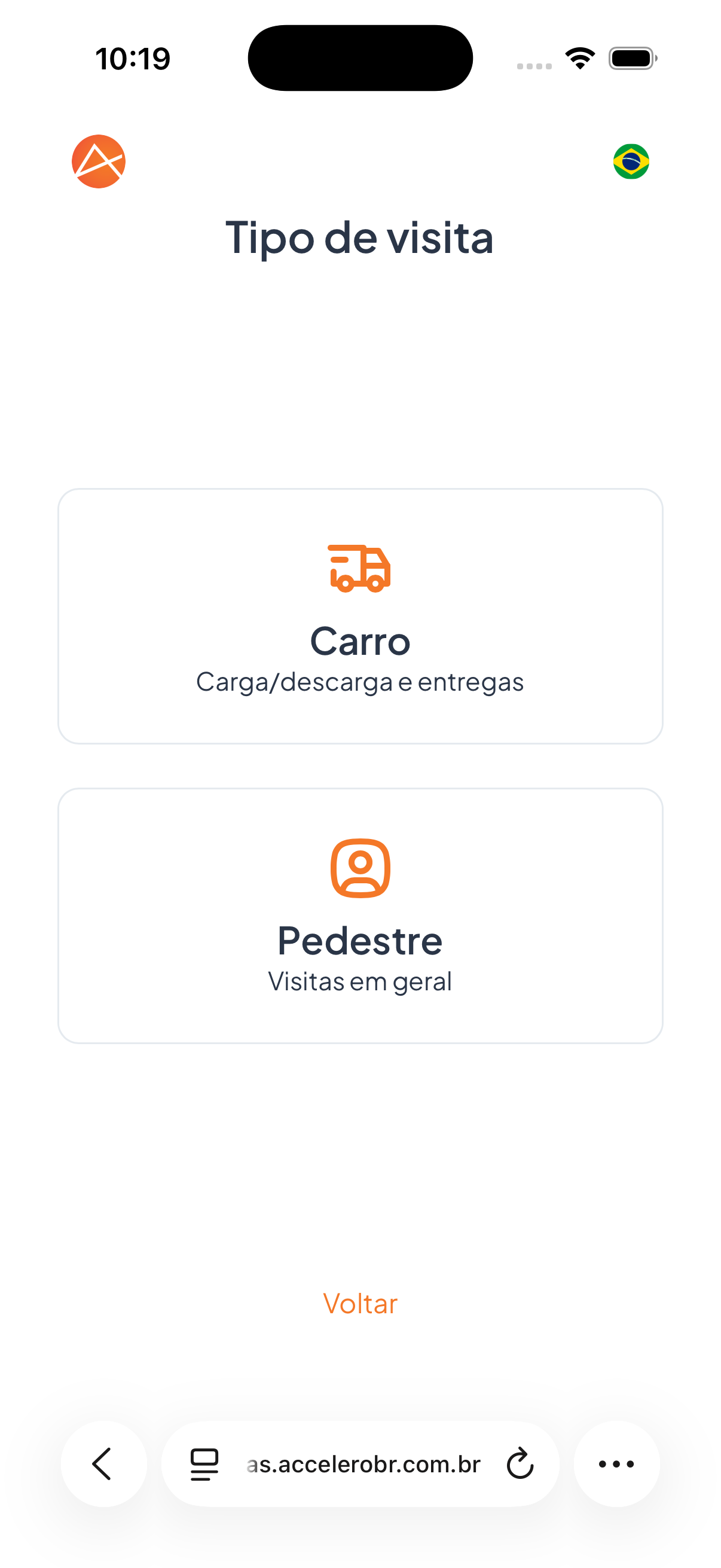
- Option Car — description "Loading/unloading and deliveries" (truck/delivery icon).
- Option Pedestrian — description "General visits" (person icon).
- Link Back.
Screen "Entry type" (shown when the entry is by vehicle):
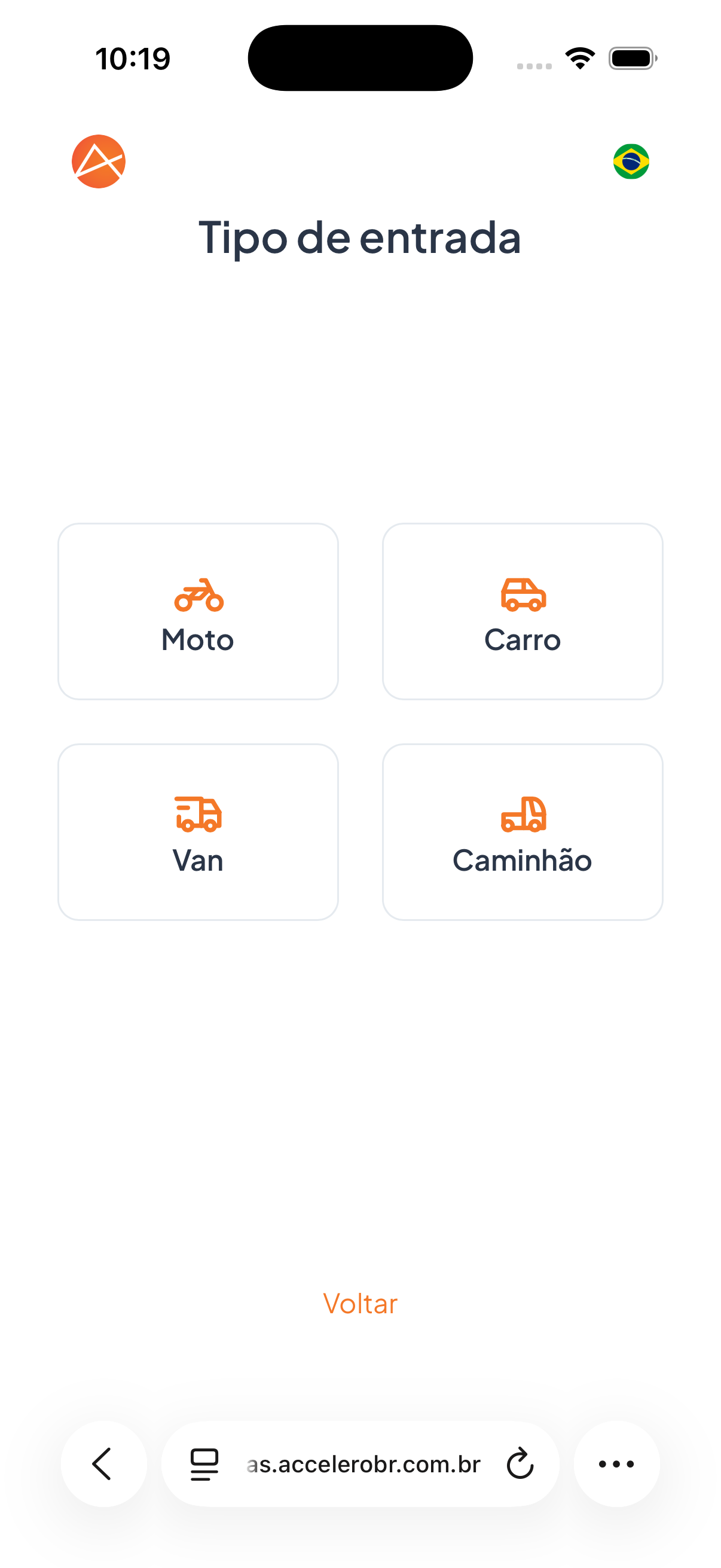
- Options as cards: Motorcycle, Car, Van, and Truck, each with its own icon.
- Link Back.
Step by step
- On the Visit type screen, choose Car (vehicle entry, loading/unloading and deliveries) or Pedestrian (general visits).
- If you choose vehicle entry, the Entry type screen appears: select the vehicle category — Motorcycle, Car, Van, or Truck.
- To correct a previous choice, use Back.
States
- Step not shown: when the company is not a logistics center, the visit is assumed to be on foot and this step does not appear.
- Pedestrian: the flow continues without vehicle data.
- Vehicle: after choosing the entry type, the flow goes through the vehicle data step.
This screen only appears at companies of the logistics center type. When it does, choose Pedestrian if you are entering on foot, or Car if you are entering with a vehicle. For vehicles, also inform whether it is a Motorcycle, Car, Van, or Truck.